
Nokia 3300B Screen Replacement

Chris Colwell and 5 other contributors
Last updated on May 7, 2024
Views: 3.8K
View statistics:
- Past 24 Hours:
- 6
- Past 7 Days:
- 21
- Past 30 Days:
- 100
- All Time:
- 3,799
Comments: 0
No one has left comments on this guide. Will you be first?
Go to guide commentsCompleted: 2 3
2 people have marked this guide "completed." Will you be next?
3 people have marked this guide "completed." Including you — great job!
Favorites: 1 2
1 person has favorited (and subscribed to) this guide. Will you be next?
2 people have favorited (and subscribed to) this guide — including you!
Action Shots
Be an action hero! This guide needs images that better demonstrate how to perform specific actions.
Missing Prerequisites
This guide is missing information on how to start the process. Make a prerequisite guide!
Introduction
Go to step 1 ↓Describes how to replace the screen of the Nokia 3300B.
What you need
Tools
-
Tweezers4.9
-


-
-
-
Flip the Nokia 3300B over with the back-side facing towards you.
-
Gently press the button on the back of the battery cover to release the cover and slide up.
 Ask FixBot
-
-
-
-
Tool used on this step:Tweezers$4.99
-
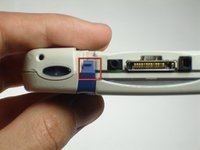
Gently push the blue tabs on the top of the phone out of their slots.
-
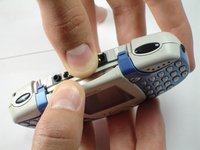
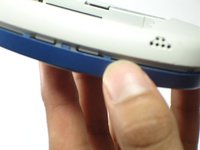
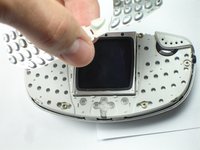
With the phone facing up, pop the blue faceplate off by using your fingernail (or some tweezers) and working your way around the phone.
-
-
-
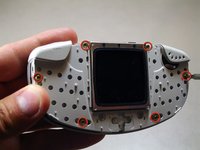
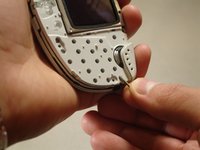
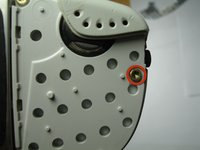
Using the Torx T6 bit of a Phillips precision screwdriver, remove the six screws on the phone's inner protective case, as seen in the picture.
-
-
-
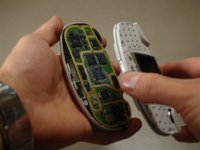
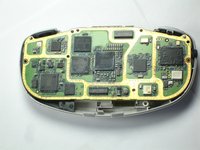
Holding the phone with the screen facing you, remove the top half of the phone from the circuit board.
-
-
-
-
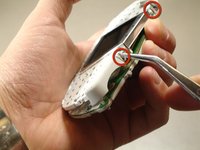
Hold the top half of the phone with the screen facing you.
-
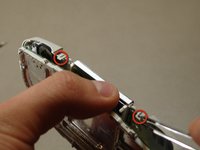
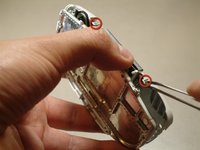
Using a pair of tweezers, release the tabs holding the two distinct cases together.
-
-
-
Be sure to remove both casings so that the screen is facing down. This will ensure that the screen does not fall out of its case.
-
-
-
Tilt the casing back and the screen should fall out smoothly.
-
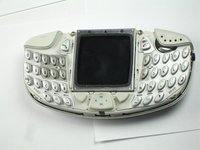
Replace the old screen with the new screen.
-
-












To reassemble your device, follow these instructions in reverse order.
Cancel: I did not complete this guide.
2 other people completed this guide.

Team

Cal Poly, Team 18-65, Johann Spring 2010 Member of Cal Poly, Team 18-65, Johann Spring 2010
CPSU-JOHANN-S10S18G65
4 Members
60 Guides authored
