
Nokia 3300B Motherboard Replacement

Jose Quezada and 8 other contributors
Last updated on Jul 20, 2017
Views: 3.5K
View statistics:
- Past 24 Hours:
- 2
- Past 7 Days:
- 15
- Past 30 Days:
- 83
- All Time:
- 3,533
Comments: 0
No one has left comments on this guide. Will you be first?
Go to guide commentsCompleted: 4 5
4 people have marked this guide "completed." Will you be next?
5 people have marked this guide "completed." Including you — great job!
Favorites: 1 2
1 person has favorited (and subscribed to) this guide. Will you be next?
2 people have favorited (and subscribed to) this guide — including you!
Action Shots
Be an action hero! This guide needs images that better demonstrate how to perform specific actions.
Needs Better Images
Better photos will improve this guide. Help out by taking, editing, or uploading new ones!
Introduction
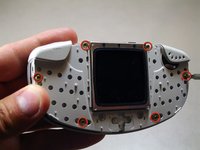
Go to step 1 ↓To change or clean the logic board the phone must be dissembled. The tools required will be a T-6 screw driver.
What you need
Tools

-
-
-
Flip the Nokia 3300B over with the back-side facing towards you.
-
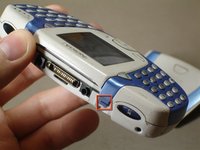
Gently press the button on the back of the battery cover to release the cover and slide up.
 Ask FixBot
-
-
-
-
Tool used on this step:Tweezers$4.99
-
Gently push the blue tabs on the top of the phone out of their slots.
-
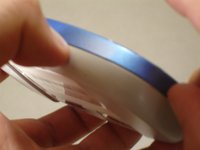
With the phone facing up, pop the blue faceplate off by using your fingernail (or some tweezers) and working your way around the phone.
-
Note: If the blue cover does not detach easily use your finger nails to try and split it open, as seen in the picture.
-
-
-
Grab the sides of the keypad and lift each side up vertically, until the keypad is completely removed.
-
-
-
-
-
-
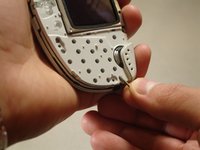
Pull up on the front case containing the screen to separate it from the rest of the phone.
-
Gently lift the main board out of the back case.
-





To reassemble your device, follow these instructions in reverse order.
Cancel: I did not complete this guide.
4 other people completed this guide.

Team

Cal Poly, Team 18-65, Johann Spring 2010 Member of Cal Poly, Team 18-65, Johann Spring 2010
CPSU-JOHANN-S10S18G65
4 Members
60 Guides authored
