
Nokia 3120 Liquid Crystal Display (LCD) Replacement

Pierre Tong and 4 other contributors
Last updated on Jan 28, 2014
Views: 2.1K
View statistics:
- Past 24 Hours:
- 2
- Past 7 Days:
- 20
- Past 30 Days:
- 98
- All Time:
- 2,110
Comments: 0
No one has left comments on this guide. Will you be first?
Go to guide commentsCompleted: 2 3
2 people have marked this guide "completed." Will you be next?
3 people have marked this guide "completed." Including you — great job!
Favorites: 0 1
No one has favorited (and subscribed to) this guide. Will you be the first?
1 person has favorited (and subscribed to) this guide — and that's you!
Introduction
Go to step 1 ↓The LCD is difficult to get to and the guide requires a moderate amount of work. Tiny parts require patience during disassembly.
What you need
Tools

-
-
-
Remove the back cover plate of the phone. To do this press down the lock as you slide the cover toward the bottom of the phone.
 Ask FixBot
-
-
-
Once the back cover plate is removed, the battery should be exposed. Remove the battery by prying it out. This can be done with your finger-nail or a prying tool.
-
-
-
-
-
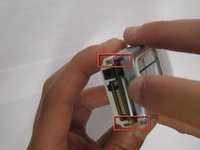
Using your fingernails or another tool, pry the front face plate out along its edges and corners.
-
-
-
-
-
-
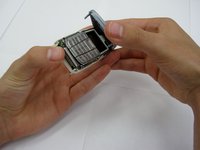
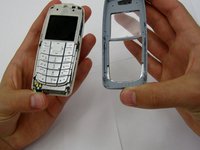
Once the cover plate has been removed, the keypad should easily pop out.
-
-
-
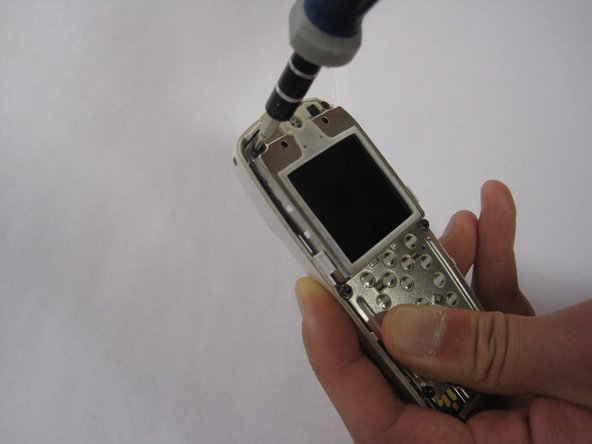
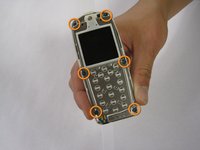
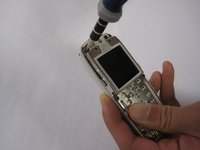
Using a screwdriver, remove the 6, 7 mm Torx-head screws on the front of the phone.
-
-
-
Once the screws have been removed, the front plate of the phone should be removed, exposing the inside electronic components of the phone.
-
-






To reassemble your device, follow these instructions in reverse order.
Cancel: I did not complete this guide.
2 other people completed this guide.

Team

Clemson, Team 13-2, Benson Spring 2013 Member of Clemson, Team 13-2, Benson Spring 2013
CLEM-BENSON-S13S13G2
3 Members
84 Guides authored
