Introduction
This guide will show you how to replace your old motherboard with a new one for the Nokia 2660 Flip. The motherboard contains all the important components for the Nokia and therefore is the "heart" of the phone. Replacing this is vital, if you have a non-working motherboard you have no Nokia. You may need to replace the motherboard if you experience the phone not turning on despite a full charge, random freezes, crashes, or the phone being unresponsive. If any part of the motherboard is damaged you must replace it due to the motherboard needing to be unscathed to even allow the phone to function.
This guide will help you replace the motherboard for your Nokia so it can get backup and running in no time. During this process be sure to throughly follow the steps as the motherboard can be very sensitive.
Before beginning to read through the guide please be sure to turn off the phone or unplug it from a charging source.
What you need
-
-
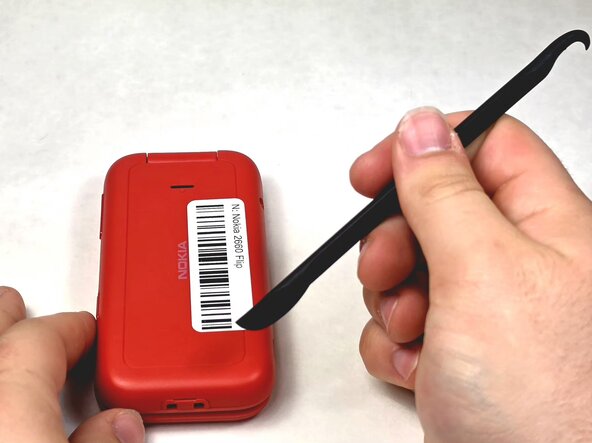
Turn your Nokia around to the rear side.
-
Insert a spudger or your fingernail into the notch on the bottom of the device.
 Ask FixBot
-
-
-
-
Insert a spudger or fingernail into the slot.
-
Gently remove the battery out of the slot.
-
-
-
Remove the screws using the TR6 Torx screwdriver.
-
Lift up the red casing with a spudger to reveal the motherboard.
-
-
-
With a clean fingernail or spudger, detach the ribbon cable.
-
Use a Jimmy to lift the motherboard up and place it to the side.
-



To reassemble your device, follow these instructions in reverse order.

Team

UMass Dartmouth, Team 1-6, Evans Spring 2026 Member of UMass Dartmouth, Team 1-6, Evans Spring 2026
UMASSD-EVANS-S26S1G6
4 Members
10 Guides authored
