Introduction
Changing the battery may sound like a daunting task but in reality especially for the Nokia it is fairly simple. The battery for the Nokia 2660 is a BL-L4E Li-ion that powers the phone itself. You may need to replace the battery if you are experiencing symptoms such as Physical Damage or Natural Battery Aging. Also if your battery is swollen or damaged you must take high precaution when using this guide as the liquids from the battery are highly toxic. The following steps will show you how to replace your old battery with a new one for the Nokia 2660 Flip!
What you need
-
-
-
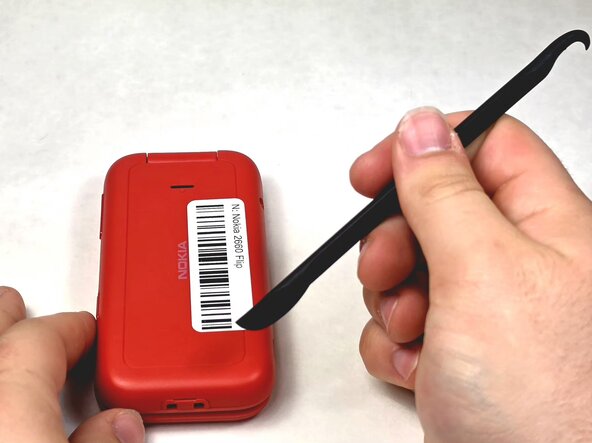
Turn your Nokia around to the rear side.
-
Insert a spudger or your fingernail into the notch on the bottom of the device.
 Ask FixBot
-
-
-
-
Insert a spudger or fingernail into the slot.
-
Gently remove the battery out of the slot.
-
-



To reassemble your device, follow these instructions in reverse order.

Team

UMass Dartmouth, Team 1-6, Evans Spring 2026 Member of UMass Dartmouth, Team 1-6, Evans Spring 2026
UMASSD-EVANS-S26S1G6
4 Members
60 Guides authored
