Free Shipping on Domestic Orders $75+

Nokia 2630b Antenna Replacement

What you need

  1. Nokia 2630b Antenna Replacement, Battery Case: step 1, image 1 of 2 Nokia 2630b Antenna Replacement, Battery Case: step 1, image 2 of 2
    • Press and the release button on both sides of the battery cover. While holding down the release buttons pull the battery cover away from the phone

    Ask FixBot

    Add Comment

  2. Nokia 2630b Antenna Replacement: step 2, image 1 of 1
    • Pull out the battery by holding the top of the battery and tilting out.

    Ask FixBot

    Add Comment

  3. Nokia 2630b Antenna Replacement, Screen / Front Case: step 3, image 1 of 1
    • Remove the two screws on either side of the battery case using a T5 Torx screwdriver.

    Ask FixBot

    Add Comment

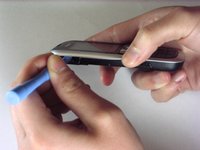
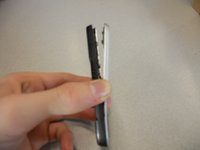
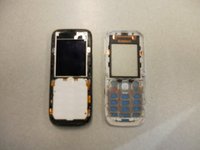
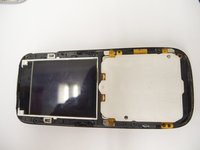
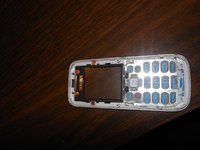
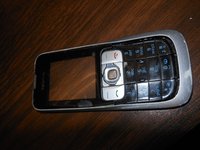
  4. Nokia 2630b Antenna Replacement: step 4, image 1 of 3 Nokia 2630b Antenna Replacement: step 4, image 2 of 3 Nokia 2630b Antenna Replacement: step 4, image 3 of 3
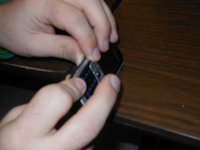
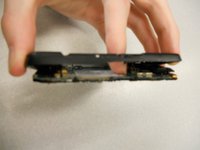
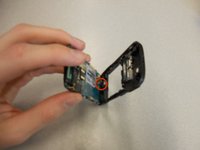
    • Separate the front case from the back case using the iPod opener.

    • The keypad is a loose piece and may fall out.

    Ask FixBot

    Add Comment

  5. Nokia 2630b Antenna Replacement: step 5, image 1 of 1
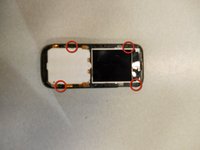
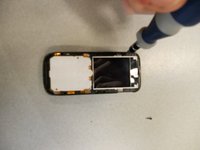
    • Remove screws using the T5 Torx screwdriver to release the computer chip from the case.

    Ask FixBot

    Add Comment

  6. Nokia 2630b Antenna Replacement: step 6, image 1 of 1
    • Carefully lift the black frame off the screen with your fingers.

    Ask FixBot

    Add Comment

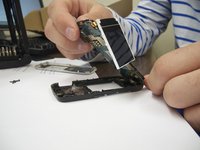
  7. Nokia 2630b Antenna Replacement: step 7, image 1 of 1
    • Carefully remove the computer chip and screen out of the black case with your fingers.

    Ask FixBot

    Add Comment

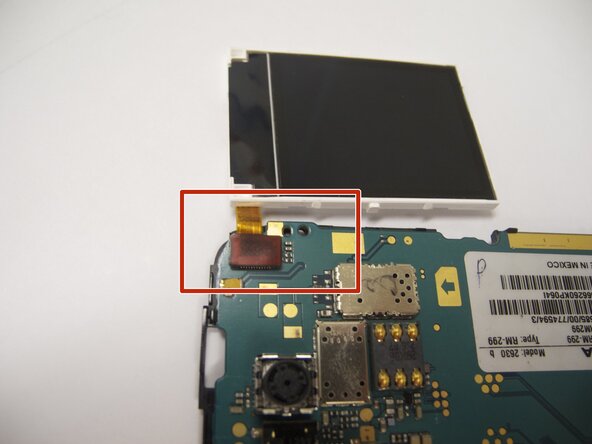
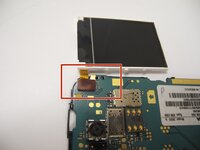
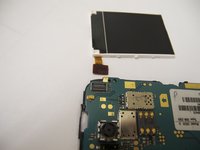
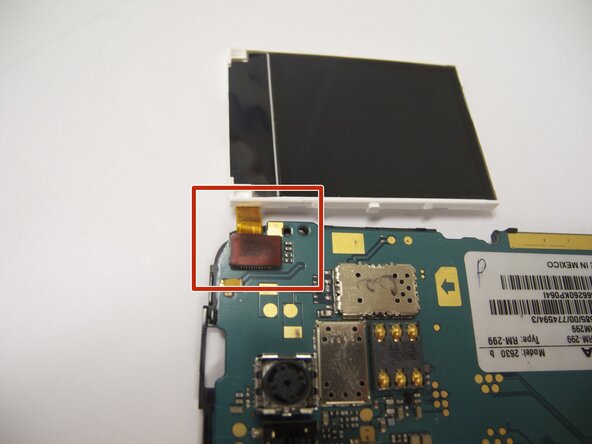
  8. Nokia 2630b Antenna Replacement: step 8, image 1 of 2 Nokia 2630b Antenna Replacement: step 8, image 2 of 2
    • The screen is attached to the motherboard by an orange ribbon.

    • Carefully detach the ribbon from the motherboard using your fingers.

    Ask FixBot

    Add Comment

  9. Nokia 2630b Antenna Replacement: step 9, image 1 of 1
    • Reattach new screen by connecting the orange ribbon to the computer chip.

    Ask FixBot

    Add Comment

  10. Nokia 2630b Antenna Replacement: step 10, image 1 of 2 Nokia 2630b Antenna Replacement: step 10, image 2 of 2
    • Place computer chip and screen back into black case.

    Ask FixBot

    Add Comment

  11. Nokia 2630b Antenna Replacement: step 11, image 1 of 1
    • Place black frame back over screen.

    Ask FixBot

    Add Comment

  12. Nokia 2630b Antenna Replacement: step 12, image 1 of 2 Nokia 2630b Antenna Replacement: step 12, image 2 of 2
    • Carefully place keypad back in place.

    Ask FixBot

    Add Comment

  13. Nokia 2630b Antenna Replacement: step 13, image 1 of 2 Nokia 2630b Antenna Replacement: step 13, image 2 of 2
    • Snap the front case back in place with the bottom case with your fingers.

    Ask FixBot

    Add Comment

  14. Nokia 2630b Antenna Replacement: step 14, image 1 of 1
    • Reassemble screws with microscrewdriver.

    Ask FixBot

    Add Comment

  15. Nokia 2630b Antenna Replacement: step 15, image 1 of 1
    • Slide battery back into place.

    Ask FixBot

    Add Comment

  16. Nokia 2630b Antenna Replacement: step 16, image 1 of 1
    • Snap battery cover back into place.

    Ask FixBot

    Add Comment

  17. Nokia 2630b Antenna Replacement, Back Case: step 17, image 1 of 2 Nokia 2630b Antenna Replacement, Back Case: step 17, image 2 of 2
    • Locate the four screws that secure the back case to the rest of the phone.

    • Unscrew all four screws using a "T-5" star shaped screw driver, turning counter-clockwise.

    Ask FixBot

    Add Comment

  18. Nokia 2630b Antenna Replacement: step 18, image 1 of 3 Nokia 2630b Antenna Replacement: step 18, image 2 of 3 Nokia 2630b Antenna Replacement: step 18, image 3 of 3
    • DO NOT PULL APART! There is a wire attaching the speaker to the rear case. It is very important to NOT sever this connection. Because of this, the rear case does not completely detach from the rest of the phone.

    • Holding the rear case, applying pressure to the back of the phone near the location of the battery in order to separate the two components.

    Ask FixBot

    Add Comment

  19. Nokia 2630b Antenna Replacement, Antenna: step 19, image 1 of 1
    • The antenna is the "L" shaped device located on the top of the phone in between the back case and the board.

    • You should be able to remove the antenna with minimal effort.

    • To put in a new antenna, place it in the same location as the old one. There is no need to connect to any hardware on the phone.

    Ask FixBot

    Add Comment

  20. Nokia 2630b Antenna Replacement: step 20, image 1 of 1
    • To reassemble the device, follow the instructions in reverse order.

    • When reinstalling the keyboard, make sure it is in the correct position before screwing the case back together.

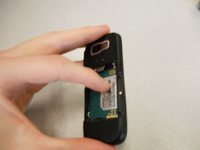
    • When reinstalling the battery, make sure the contacts of the battery connect to the contacts on the phone.

    • Double-check the position of the brass contacts in relation to the battery.

    • The photo displays the correct orientation of the battery.

    Ask FixBot

    Add Comment

Finish Line

Cancel: I did not complete this guide.

Eric

Member since: 04/07/11

57 Reputation

4 Guides authored

Team

Cal Poly, Team 9-61, Walters Spring 2011 Member of Cal Poly, Team 9-61, Walters Spring 2011

CPSU-WALTERS-S11S9G61

5 Members

10 Guides authored

0 Guide Comments

Add Comment

View Statistics:

Past 24 Hours: 4

Past 7 Days: 13

Past 30 Days: 36

All Time: 4,023