
Nokia 2610 Circuit Board Replacement

Andrew Wood and 5 other contributors
Last updated on Jan 28, 2014
Views: 3.9K
View statistics:
- Past 24 Hours:
- 3
- Past 7 Days:
- 29
- Past 30 Days:
- 105
- All Time:
- 3,944
Comments: 3
2 comments on steps, 1 guide comment.
Go to guide commentsCompleted: 5 6
5 people have marked this guide "completed." Will you be next?
6 people have marked this guide "completed." Including you — great job!
Favorites: 2 3
2 people have favorited (and subscribed to) this guide. Will you be next?
3 people have favorited (and subscribed to) this guide — including you!
What you need
Tools

-
-
-
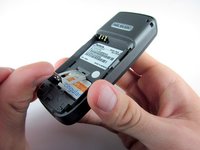
Place your thumb on the middle of the back cover and push it toward the bottom of the phone to slide the cover off.
 Ask FixBot
-
-
-
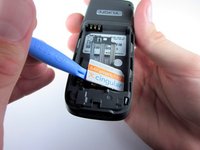
Use a plastic opening tool (or your finger) to gently pry the battery out of the battery slot on the back of the phone.
-
-
-
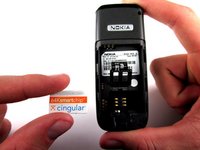
Lift the metal sim card holder (at the bottom of the battery slot) up and carefully pry the sim card out of its slot with a plastic opening tool or your finger.
-
After removal, lower the metal sim card holder into its original position.
-
-
-
-
-
-
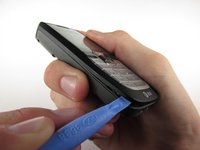
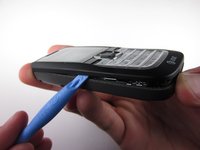
Insert the plastic opening tool into the crack between the front and back panels.
-
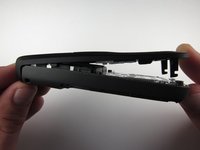
Gently pry the front cover away from the back cover while sliding the plastic opening tool towards the top of the phone.
-
-
-
Lift the bottom of the front cover away from the phone.
-
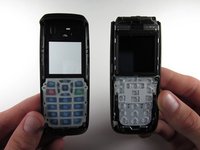
Continue lifting until the top of the front cover is fully removed from the phone.
-
-
-
-
-
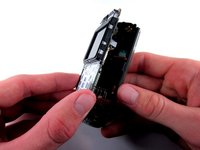
Use the Torx screwdriver with the T6 attachmet to remove the 6 .4 mm screws around the outside of the circuit board.
-
-








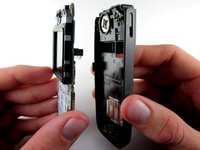
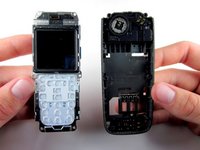
To reassemble your device, follow these instructions in reverse order.
Cancel: I did not complete this guide.
5 other people completed this guide.

Team

Cal Poly, Team 7-52, Amido Fall 2010 Member of Cal Poly, Team 7-52, Amido Fall 2010
CPSU-AMIDO-F10S7G52
4 Members
72 Guides authored
