Introduction
A motherboard replacement can prevent power failure, overheating, and short-circuiting. The motherboard is the brain of the device, so any damage to it may have impact on usability.
Follow this guide to replace the motherboard in your Nokia 225 4G 2020 phone.
Before you begin the repair, power off the phone and disconnect it from the charger.
What you need
-
-
Insert an iFixit opening pick into the seam along the bottom edge of the phone’s back cover.
-
Slide the pick around the edges of the cover to release the retaining clips.
-
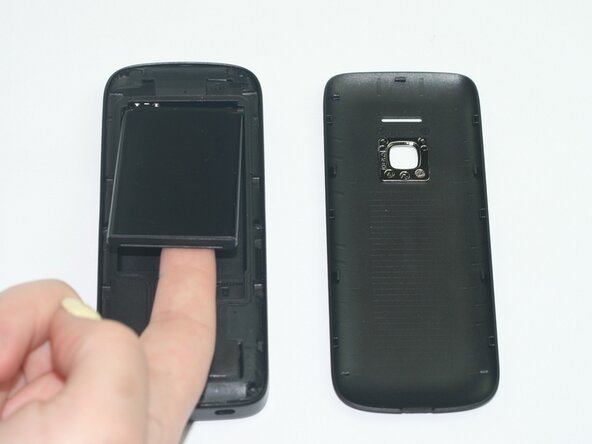
Remove the back casing to expose the battery.
 Ask FixBot
-
-
-
-
Use a T3 Torx screwdriver to remove the six screws along the edge of the bottom cover.
-
-
-
Insert an iFixit opening tool into the seam between the display and midframe and slide it around the edges to release the retaining clips.
-
Hold the device on both sides, then separate the display and the midframe to expose the motherboard.
-
Remove the motherboard.
-




To reassemble your device, follow these instructions in reverse order. Take your e-waste to an R2 or e-Stewards certified recycler.

Team

Texas Tech, Team 11-3, Weston Spring 2026 Member of Texas Tech, Team 11-3, Weston Spring 2026
TTU-WESTON-S26S11G3
5 Members
10 Guides authored
