
Nobis NB07 Battery Replacement

Daniel Gomero and 3 other contributors
Last updated on Jun 11, 2015
Views: 3.9K
View statistics:
- Past 24 Hours:
- 2
- Past 7 Days:
- 16
- Past 30 Days:
- 102
- All Time:
- 3,855
Comments: 1
1 guide comment.
Go to guide commentsCompleted: 3 4
3 people have marked this guide "completed." Will you be next?
4 people have marked this guide "completed." Including you — great job!
Favorites: 1 2
1 person has favorited (and subscribed to) this guide. Will you be next?
2 people have favorited (and subscribed to) this guide — including you!
Introduction
Go to step 1 ↓To complete this guide, you will need to disassemble your tablet and use a soldering iron to replace the battery. The battery is removed first in most cases, even if you are trying to remove other components.
What you need
Tools
-
Spudger4.9
-
-


-
-
-
Look towards the topside of the tablet, where the power button is located.
-
Insert a plastic opening tool in the crack between the two parts of the case.
-
Move it gently back and forth to open the case.
 Ask FixBot
-
-
-
With the plastic opening tool in the opening between the two sides of the case, slide the tool along the tablet's border to separate the two sides completely.
-
-
-
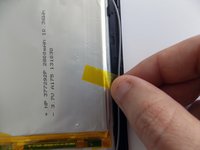
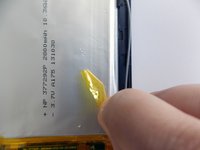
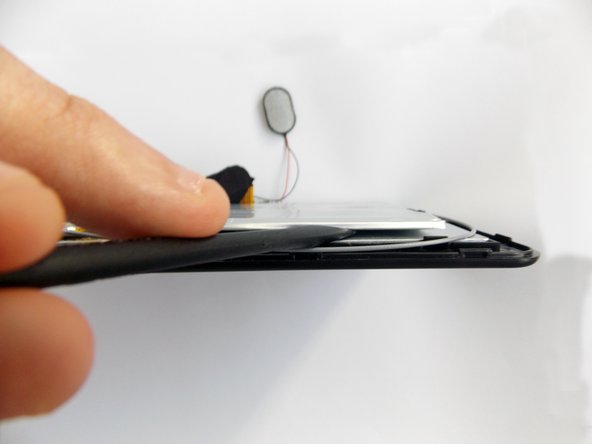
Insert the flat end of the spudger tool in the crack beneath the battery.
-
Move the spudger tool carefully side to side to remove the glue that is holding the battery in place.
-
-
-
-
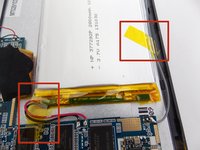
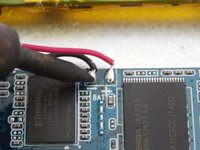
After the battery is unglued, locate the cables that connect it to the motherboard.
-
-
-
Desolder the cables with a soldering iron and use a desoldering braid to remove the solder.
-
-



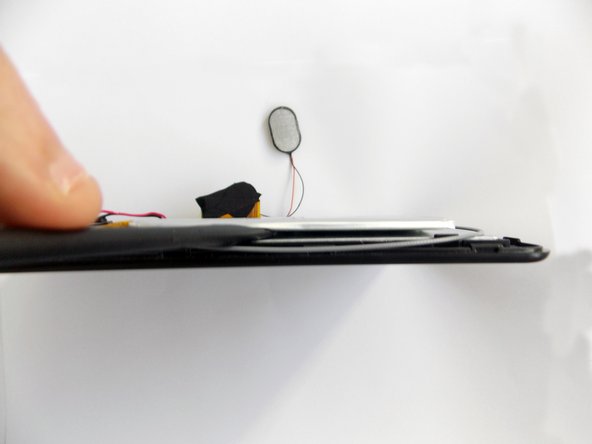


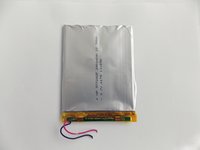
To reassemble your device, follow these instructions in reverse order.
Cancel: I did not complete this guide.
3 other people completed this guide.

Team

USF Tampa, Team 5-5, Brown Winter 2015 Member of USF Tampa, Team 5-5, Brown Winter 2015
USFT-BROWN-W15S5G5
3 Members
60 Guides authored
1 Guide Comment
where do you find that battery? tried searching by the numbers on it and nothing
