Introduction
If your Nixon Watch needs a battery replacement, this guide will help if there is any question on how to replace the battery. This guide is specifically only for Nixon Watch. To replace the battery there's no special technical knowledge needed. The only thing that is needed is good lighting and a nice, flat area to keep the tiny screws in place.
What you need
-
-
-
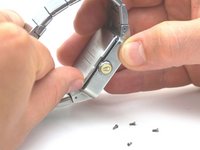
On a flat surface, use the PH00 screwdriver to remove the four screws from each corner, and set them in a safe place.
 Ask FixBot
-
-
-
-
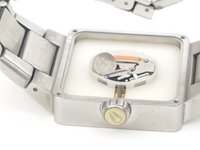
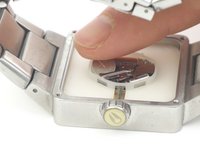
Place the new battery in the battery housing. Ensure the positive side is facing up.
-
Ensure the battery is firmly seated. A faint click can be heard when it is firmly seated.
-
-
-
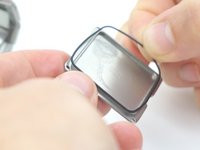
Remove the rubber gasket from the back plate.
-
Use an alcohol wipe to clean the back plate and the watch housing where the gasket will sit. This will ensure a clean and an airtight fit.
-
-
-
Place the back plate back onto the main watch housing. Ensure the notch in the back plate is line up with the crown.
-
-
-
Pull the crown away from the watch and then turn the knob to set the time.
-
Pull the crown away from the watch and then turn the knob to set the time.
-
-









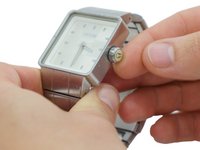

You have successfully completed the battery
replacement on your wristwatch.
If the second hand doesn’t begin its rotation there is
one of two common problems. The first is that the
crown has not been properly engaged after the time
adjustment on steps 11 and 12. The second problem would be caused by a bad battery in which case you would need to repeat the steps over with another new battery.
If the problem persists contact the manufacturer for
further troubleshooting steps.
Cancel: I did not complete this guide.
21 other people completed this guide.

Team

Colorado Springs, Team 1-6, Mcmichael SU 2015 Member of Colorado Springs, Team 1-6, Mcmichael SU 2015
UCCS-MCMICHAEL-SU15S1G6
3 Members
12 Guides authored
12 Guide Comments
Works for also for my traser h3. Thank you!
Good guide but one does not need to force out battery with a screwdriver. This is overkill. I would not recommend putting a screwdriver there because the gears are exposed in that area and a slip would damage them. Just a finger nail is needed to move a little spring cover slightly to let battery out. Same goes for putting battery back in. Fingers are all that are needed at that point.
I have a "Newton" model Nixon. All black and the watch hands are floating circles just to clarify. It seems to have a battery cover, almost like a strip, holding it in place. Is there a tutorial for this extra step?
That is for the backlight module. It takes a 2016 battery. The battery seen in this tutorial powers the movement and sits underneath the backlight module.
