Nixon Mission Android Wear Battery Replacement

Mauricio Ambrosio and 4 other contributors
Last updated on Mar 19, 2020
Views: 8K
View statistics:
- Past 24 Hours:
- 2
- Past 7 Days:
- 19
- Past 30 Days:
- 93
- All Time:
- 7,992
Comments: 21
1 comment on steps, 20 guide comments.
Go to guide commentsCompleted: 7 8
7 people have marked this guide "completed." Will you be next?
8 people have marked this guide "completed." Including you — great job!
Favorites: 0 1
No one has favorited (and subscribed to) this guide. Will you be the first?
1 person has favorited (and subscribed to) this guide — and that's you!
Action Shots
Be an action hero! This guide needs images that better demonstrate how to perform specific actions.
Incorrect Tools
Help make this guide better by using the correct tools in images and/or text.
Introduction
Go to step 1 ↓Batteries tend to lose capacity over time. This guide will show you how to replace the battery of your Nixon Mission Android Wear.
What you need
Tools
-
Spudger4.9


-
-
-
Remove 4 4.5mm Phillips head screws from back side of watch using PH00 Phillips head.
 Ask FixBot
-
-
-
-
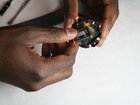
Remove from the motherboard the connector with the four cables.
-
Pull the cables upward and the motherboard downward as shown in the picture.
-
-


To reassemble your device, follow these instructions in reverse order.
Cancel: I did not complete this guide.
7 other people completed this guide.

Team

IUPUI, Team S3-G2, Harley Fall 2017 Member of IUPUI, Team S3-G2, Harley Fall 2017
IUPUI-HARLEY-F17S3G2
3 Members
36 Guides authored
20 Guide Comments
Hi, would you be able to advise where to purchase a replacement battery?
same here, where to purchase a replacement battery ?
Hi! Anyone knows where to buy a new battery?
After an extensive search there doesn't seem to be any info out there about battery size…..still
