Free Shipping on Domestic Orders $75+

Nintendo Switch OLED Model Dock Motherboard Replacement

Views: 5.3K

View statistics:

Past 24 Hours:
6
Past 7 Days:
33
Past 30 Days:
179
All Time:
5,339
Comments: 2

2 guide comments.

Go to guide comments
Completed: 1

1 person has marked this guide "completed." Will you be next?

Favorites: 0

No one has favorited (and subscribed to) this guide. Will you be the first?

Time Required: 15 - 20 minutes
Difficulty: Moderate
Nintendo Switch OLED Model Dock Motherboard Replacement

Introduction

Go to step 1 ↓

Use this guide to replace the motherboard in your Nintendo Switch OLED dock.

The Switch OLED's dock uses JIS screws, but you can use a Phillips screwdriver in a pinch. Be very careful not to strip the screws. iFixit's Phillips bits are designed to be cross-compatible with JIS-style screws.

Make sure to disconnect all cables from your dock before starting repairs.

What you need

Parts

Tools

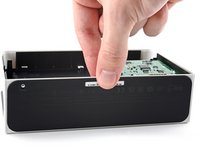
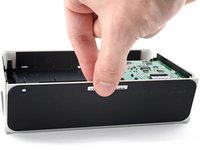
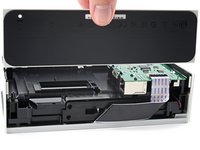
    1. Nintendo Switch OLED Model Dock Motherboard Replacement, Remove the rear cover: step 1, image 1 of 3 Nintendo Switch OLED Model Dock Motherboard Replacement, Remove the rear cover: step 1, image 2 of 3 Nintendo Switch OLED Model Dock Motherboard Replacement, Remove the rear cover: step 1, image 3 of 3
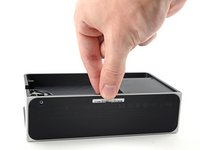
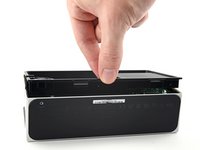
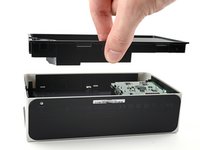
      • Use your fingers to pull the rear cover away from the frame and release its plastic clips.

      • Remove the rear cover.

      Ask FixBot

      Add Comment

    2. Nintendo Switch OLED Model Dock Motherboard Replacement, Unfasten the baseplate: step 2, image 1 of 2 Nintendo Switch OLED Model Dock Motherboard Replacement, Unfasten the baseplate: step 2, image 2 of 2
      • Use a Y0 screwdriver to unfasten the 7.5 mm-long screw securing the baseplate to the frame.

      Ask FixBot

      Add Comment

    3. Nintendo Switch OLED Model Dock Motherboard Replacement, Remove the screw cover: step 3, image 1 of 3 Nintendo Switch OLED Model Dock Motherboard Replacement, Remove the screw cover: step 3, image 2 of 3 Nintendo Switch OLED Model Dock Motherboard Replacement, Remove the screw cover: step 3, image 3 of 3
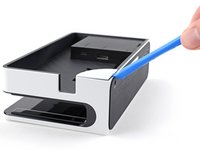
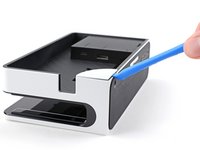
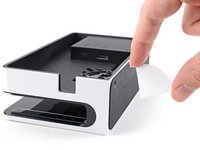
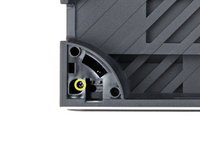
      • Insert an opening tool between the frame and the plastic screw cover at the bottom-left corner.

      • Pry up with the opening tool to separate the screw cover from the frame.

      • Remove the screw cover.

      Ask FixBot

      Add Comment

    4. Nintendo Switch OLED Model Dock Motherboard Replacement, Unfasten the midframe: step 4, image 1 of 2 Nintendo Switch OLED Model Dock Motherboard Replacement, Unfasten the midframe: step 4, image 2 of 2
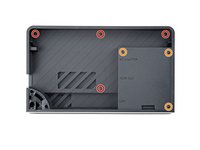
      • Use a Y0 screwdriver to remove the seven screws securing the midframe to the frame:

      • Four 3.9 mm screws

      • Three 7.5 mm screws

      • One 3.9 mm screw

      Ask FixBot

      Add Comment

    5. Nintendo Switch OLED Model Dock Motherboard Replacement, Remove the midframe: step 5, image 1 of 3 Nintendo Switch OLED Model Dock Motherboard Replacement, Remove the midframe: step 5, image 2 of 3 Nintendo Switch OLED Model Dock Motherboard Replacement, Remove the midframe: step 5, image 3 of 3
      • Use your fingers to remove the midframe from the frame.

      Ask FixBot

      Add Comment

    6. Nintendo Switch OLED Model Dock Motherboard Replacement, Remove the baseplate: step 6, image 1 of 3 Nintendo Switch OLED Model Dock Motherboard Replacement, Remove the baseplate: step 6, image 2 of 3 Nintendo Switch OLED Model Dock Motherboard Replacement, Remove the baseplate: step 6, image 3 of 3
      • Use your fingers to pull the baseplate away from the frame and release it from its plastic clips.

      • Remove the baseplate.

      Ask FixBot

      Add Comment

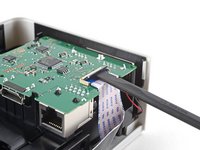
    1. Nintendo Switch OLED Model Dock Motherboard Replacement, Disconnect the motherboard: step 7, image 1 of 2 Nintendo Switch OLED Model Dock Motherboard Replacement, Disconnect the motherboard: step 7, image 2 of 2
      • Use the flat end of a spudger to lift up the small locking flap on the motherboard cable's ZIF connector.

      Ask FixBot

      Add Comment

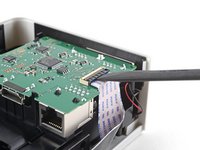
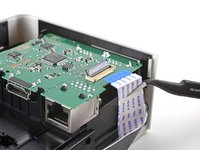
    2. Nintendo Switch OLED Model Dock Motherboard Replacement: step 8, image 1 of 2 Nintendo Switch OLED Model Dock Motherboard Replacement: step 8, image 2 of 2
      Tool used on this step:
      Tweezers
      $4.99
      Buy
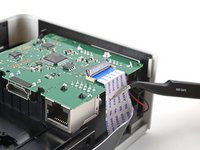
      • Use a pair of tweezers to slide the cable out of its connector.

      Ask FixBot

      Add Comment

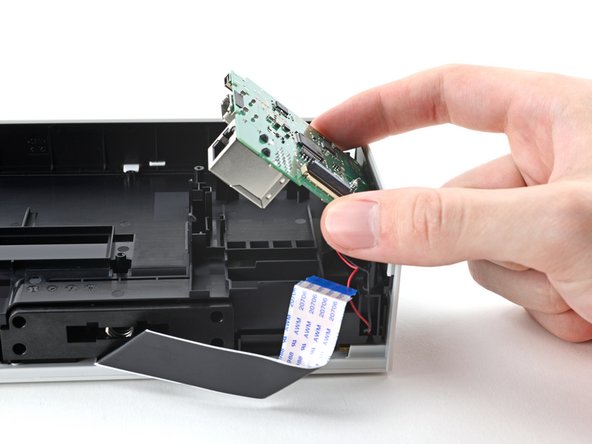
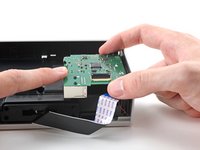
    3. Nintendo Switch OLED Model Dock Motherboard Replacement, Remove the motherboard: step 9, image 1 of 3 Nintendo Switch OLED Model Dock Motherboard Replacement, Remove the motherboard: step 9, image 2 of 3 Nintendo Switch OLED Model Dock Motherboard Replacement, Remove the motherboard: step 9, image 3 of 3
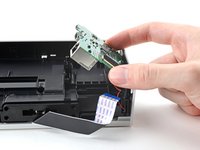
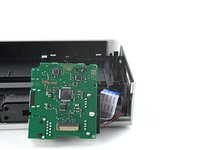
      • Use your finger to pull back on the plastic release tabs holding the motherboard in place.

      • Pull the motherboard up and away from the frame to remove it.

      • Don't fully remove the motherboard yet, as it's still connected to the frame via a JST cable.

      • Rest the motherboard by the frame before moving on to the next step.

      Ask FixBot

      Add Comment

    4. Nintendo Switch OLED Model Dock Motherboard Replacement, Disconnect the LED: step 10, image 1 of 2 Nintendo Switch OLED Model Dock Motherboard Replacement, Disconnect the LED: step 10, image 2 of 2
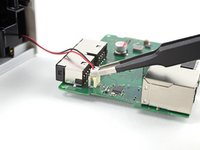
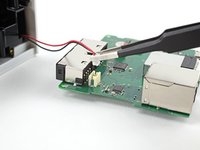
      • Use blunt tweezers, or your fingers, to pull the LED's JST connector out of its socket.

      Ask FixBot

      Add Comment

Conclusion

To reassemble your device, follow these instructions in reverse order.

Repair didn’t go as planned? Try some basic troubleshooting, or ask our Nintendo Switch OLED Answers community for help.

Compare your new replacement part to the original part—you may need to transfer remaining components or remove adhesive backings from the new part before you install it.

Cancel: I did not complete this guide.

One other person completed this guide.

Alex Diaz-Kokaisl

Member since: 01/16/22

250,853 Reputation

1,200 Guides authored

Team

Guide Team Member of Guide Team

Staff

10 Members

62,132 Guides authored

2 Guide Comments

Bonjour, bravo pour le tuto.

je suis à la recherche de la même carte mère.

avez-vous les références et surtout, où la trouver ?

Merci beaucoup.

daniel.lamand@orange.fr - Reply Share

Il y a cette pièce d'Aliexpress. Ce sera la meilleure offre : https://www.aliexpress.us/item/325680569...

Alex Diaz-Kokaisl - Reply Share
Add Comment

View Statistics:

Past 24 Hours: 6

Past 7 Days: 33

Past 30 Days: 179

All Time: 5,339