Free Shipping on Domestic Orders $75+

Nintendo Switch OLED Model Dock Baseplate Replacement

What you need

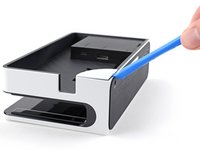
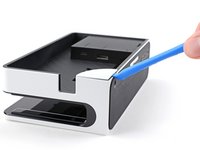
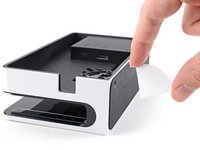
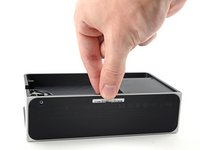
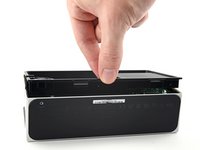
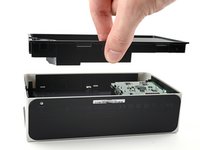
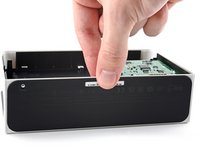
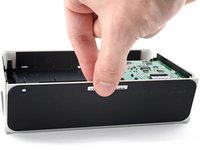
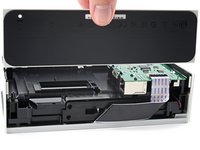
  1. Nintendo Switch OLED Model Dock Baseplate Replacement, Remove the rear cover: step 1, image 1 of 3 Nintendo Switch OLED Model Dock Baseplate Replacement, Remove the rear cover: step 1, image 2 of 3 Nintendo Switch OLED Model Dock Baseplate Replacement, Remove the rear cover: step 1, image 3 of 3
    • Use your fingers to pull the rear cover away from the frame and release its plastic clips.

    • Remove the rear cover.

    Ask FixBot

    Add Comment

  2. Nintendo Switch OLED Model Dock Baseplate Replacement, Unfasten the baseplate: step 2, image 1 of 2 Nintendo Switch OLED Model Dock Baseplate Replacement, Unfasten the baseplate: step 2, image 2 of 2
    • Use a Y0 screwdriver to unfasten the 7.5 mm-long screw securing the baseplate to the frame.

    Ask FixBot

    Add Comment

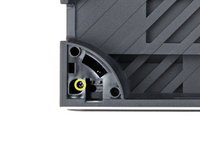
  3. Nintendo Switch OLED Model Dock Baseplate Replacement, Remove the screw cover: step 3, image 1 of 3 Nintendo Switch OLED Model Dock Baseplate Replacement, Remove the screw cover: step 3, image 2 of 3 Nintendo Switch OLED Model Dock Baseplate Replacement, Remove the screw cover: step 3, image 3 of 3
    • Insert an opening tool between the frame and the plastic screw cover at the bottom-left corner.

    • Pry up with the opening tool to separate the screw cover from the frame.

    • Remove the screw cover.

    Ask FixBot

    Add Comment

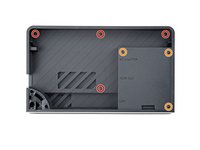
  4. Nintendo Switch OLED Model Dock Baseplate Replacement, Unfasten the midframe: step 4, image 1 of 2 Nintendo Switch OLED Model Dock Baseplate Replacement, Unfasten the midframe: step 4, image 2 of 2
    • Use a Y0 screwdriver to remove the seven screws securing the midframe to the frame:

    • Four 3.9 mm screws

    • Three 7.5 mm screws

    • One 3.9 mm screw

    Ask FixBot

    Add Comment

  5. Nintendo Switch OLED Model Dock Baseplate Replacement, Remove the midframe: step 5, image 1 of 3 Nintendo Switch OLED Model Dock Baseplate Replacement, Remove the midframe: step 5, image 2 of 3 Nintendo Switch OLED Model Dock Baseplate Replacement, Remove the midframe: step 5, image 3 of 3
    • Use your fingers to remove the midframe from the frame.

    Ask FixBot

    Add Comment

  6. Nintendo Switch OLED Model Dock Baseplate Replacement, Remove the baseplate: step 6, image 1 of 3 Nintendo Switch OLED Model Dock Baseplate Replacement, Remove the baseplate: step 6, image 2 of 3 Nintendo Switch OLED Model Dock Baseplate Replacement, Remove the baseplate: step 6, image 3 of 3
    • Use your fingers to pull the baseplate away from the frame and release it from its plastic clips.

    • Remove the baseplate.

    Ask FixBot

    Add Comment

Conclusion

To reassemble your device, follow these instructions in reverse order.

Compare your new replacement part to the original part—you may need to transfer remaining components or remove adhesive backings from the new part before you install it.

Repair didn’t go as planned? Try some basic troubleshooting, or ask our Nintendo Switch OLED Answers community for help.

Cancel: I did not complete this guide.

One other person completed this guide.

Alex Diaz-Kokaisl

Member since: 01/16/22

240,961 Reputation

1,180 Guides authored

Team

iFixit Member of iFixit

Staff

122 Members

26,593 Guides authored

0 Guide Comments

Add Comment

View Statistics:

Past 24 Hours: 1

Past 7 Days: 21

Past 30 Days: 81

All Time: 3,538