Free Shipping on Domestic Orders $75+

Nintendo DSi XL SD Board Replacement

What you need

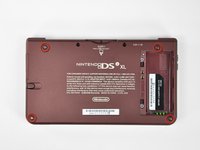
  1. Nintendo DSi XL SD Board Replacement, Battery: step 1, image 1 of 2 Nintendo DSi XL SD Board Replacement, Battery: step 1, image 2 of 2
    • Remove the two Phillips screws securing the battery cover to the back of the handheld console.

    • Lift the battery cover off the back of the DSi XL.

    Ask FixBot

    Add Comment

  2. Nintendo DSi XL SD Board Replacement: step 2, image 1 of 1
    • Lift the battery from the DSi XL.

    Ask FixBot

    Add Comment

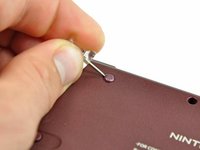
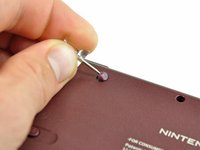
  3. Nintendo DSi XL SD Board Replacement, Lower Case: step 3, image 1 of 3 Nintendo DSi XL SD Board Replacement, Lower Case: step 3, image 2 of 3 Nintendo DSi XL SD Board Replacement, Lower Case: step 3, image 3 of 3
    • Remove the four rubber screw covers on the lower case by prying them up with a push pin.

    Ask FixBot

    Add Comment

  4. Nintendo DSi XL SD Board Replacement: step 4, image 1 of 1
    • Remove the following seven Phillips screws that secure the lower case to the rest of the DSi XL:

    • Four silver 5.3 mm screws

    • Two black 5.3 mm screws

    • One black 2.5 mm screw

    Ask FixBot

    Add Comment

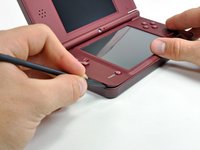
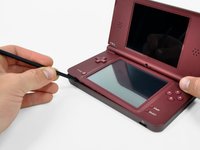
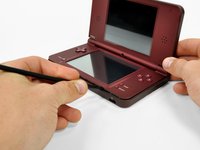
  5. Nintendo DSi XL SD Board Replacement: step 5, image 1 of 3 Nintendo DSi XL SD Board Replacement: step 5, image 2 of 3 Nintendo DSi XL SD Board Replacement: step 5, image 3 of 3
    • Turn the DSi XL over, and open the display.

    • Insert a spudger between the upper and lower case at the bottom left corner of the DSi.

    • Slide the spudger along the bottom edge of the upper case to release the latches securing the upper case to the lower case.

    Ask FixBot

    Add Comment

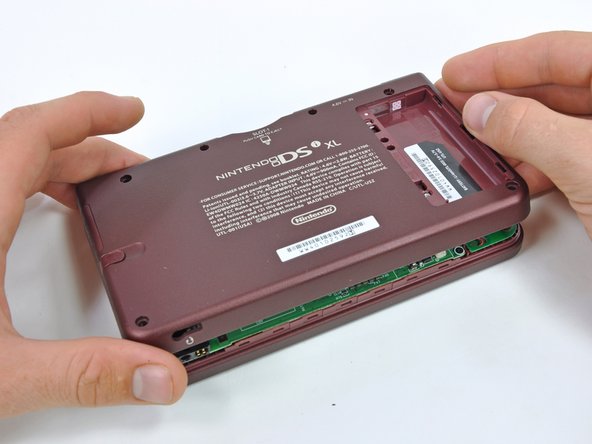
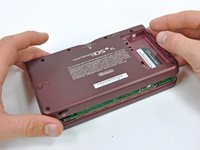
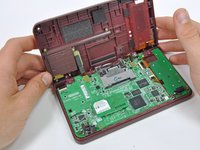
  6. Nintendo DSi XL SD Board Replacement: step 6, image 1 of 2 Nintendo DSi XL SD Board Replacement: step 6, image 2 of 2
    • Close the display and turn the DSi XL over.

    • Lift the lower case from the front edge.

    • Rotate the lower case away from the DSi.

    • The lower case cannot be completely removed yet, since it is still connected to the motherboard.

    Ask FixBot

    Add Comment

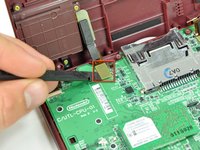
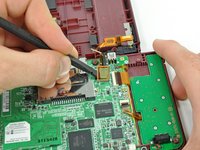
  7. Nintendo DSi XL SD Board Replacement: step 7, image 1 of 2 Nintendo DSi XL SD Board Replacement: step 7, image 2 of 2
    • Using a spudger, pry the SD card/right shoulder button connector off its socket.

    • Pry the volume button/left shoulder button connector off its socket on the motherboard with a spudger.

    Ask FixBot

    Add Comment

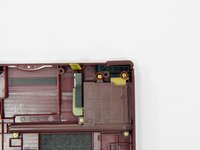
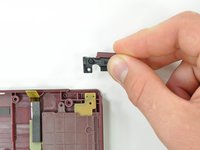
  8. Nintendo DSi XL SD Board Replacement, Right Shoulder Button: step 8, image 1 of 3 Nintendo DSi XL SD Board Replacement, Right Shoulder Button: step 8, image 2 of 3 Nintendo DSi XL SD Board Replacement, Right Shoulder Button: step 8, image 3 of 3
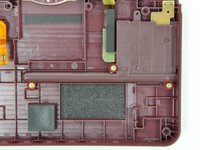
    • Remove the two gold 4.0 mm Phillips screws securing the right shoulder button assembly to the back case.

    • Lift the right shoulder button assembly from the back case.

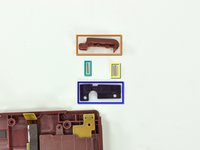
    • The components of the right shoulder button assembly:

    • Right shoulder button

    • Shoulder button spring

    • Retaining pin

    • Right shoulder button holding panel

    Ask FixBot

    Add Comment

  9. Nintendo DSi XL SD Board Replacement, Stylus Housing: step 9, image 1 of 1
    • Remove the stylus from its housing on the right side of the DSi XL.

    Ask FixBot

    Add Comment

  10. Nintendo DSi XL SD Board Replacement: step 10, image 1 of 3 Nintendo DSi XL SD Board Replacement: step 10, image 2 of 3 Nintendo DSi XL SD Board Replacement: step 10, image 3 of 3
    • Remove the three 4 mm gold Phillips screws securing the stylus housing to the lower case.

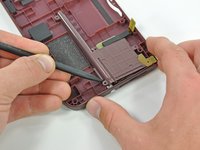
    • Using a spudger, lift the stylus housing off the lower case.

    • Remove the stylus housing from the handheld console.

    Ask FixBot

    Add Comment

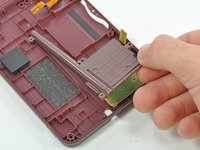
  11. Nintendo DSi XL SD Board Replacement, SD Board: step 11, image 1 of 1
    • Lift the SD board off the lower case.

    Ask FixBot

    Add Comment

Conclusion

To reassemble your device, follow these instructions in reverse order.

Cancel: I did not complete this guide.

2 other people completed this guide.

Brett Hartt

Member since: 04/12/10

132,200 Reputation

144 Guides authored

Team

iFixit Member of iFixit

Staff

122 Members

26,591 Guides authored

0 Guide Comments

Add Comment

View Statistics:

Past 24 Hours: 4

Past 7 Days: 43

Past 30 Days: 189

All Time: 10,864