
Nintendo 64 Rumble Pak Battery Replacement

Carly Bowen and 2 other contributors
Last updated on Dec 17, 2015
Views: 5.4K
View statistics:
- Past 24 Hours:
- 3
- Past 7 Days:
- 24
- Past 30 Days:
- 127
- All Time:
- 5,423
Comments: 1
1 comment on steps.
Completed: 0 1
No one has marked this guide "completed." Will you be the first?
1 person has marked this guide "completed." It's you — great job!
Favorites: 3 4
3 people have favorited (and subscribed to) this guide. Will you be next?
4 people have favorited (and subscribed to) this guide — including you!
Introduction
Go to step 1 ↓Does your Rumble Pak no longer vibrate? Learn how to check for corrosion and replace the batteries in your Rumble Pak to continue enjoying the ultimate gaming experience.
What you need
Parts
-
×2

Tools


-
-
-
Remove the Rumble Pak from the controller by pressing the release button and pulling the Rumble Pak out.
 Ask FixBot
-
-
-
Remove the battery cover from the Rumble Pak by pressing the tab and pulling the cover up.
-
-
-
Press each battery toward the spring, then pull toward you to remove the batteries from the Rumble Pak.
-
-
-
-
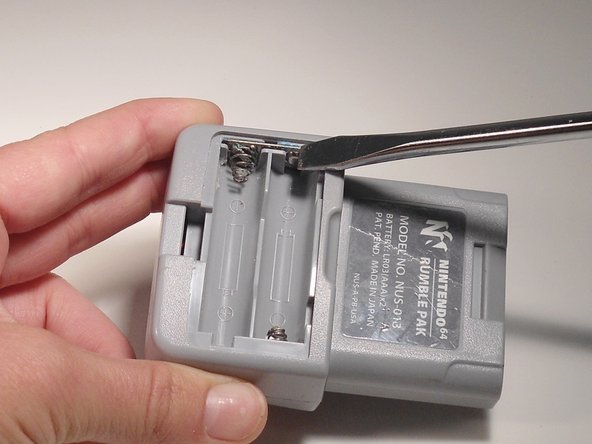
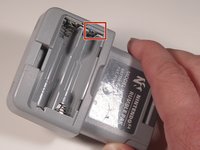
Check for corrosion around the springs and the flat plate where the batteries touch.
-
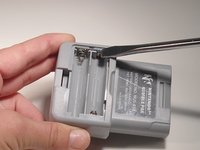
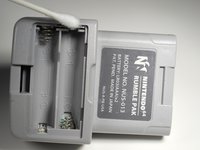
Use a flat head screwdriver to chisel away the corrosion, and use a Q-tip to wipe it clean.
-
-



To reassemble your device, follow these instructions in reverse order.

Team

Texas Tech, Team 3-6, Rauch SU 2015 Member of Texas Tech, Team 3-6, Rauch SU 2015
TTU-RAUCH-SU15S3G6
3 Members
12 Guides authored
