Free Shipping on Domestic Orders $75+

Nintendo 3DS XL Circle Pad Replacement

What you need

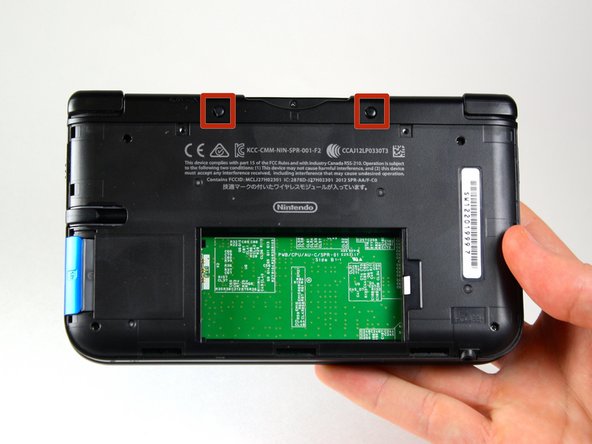
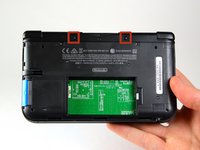
  1. Nintendo 3DS XL Circle Pad Replacement, Remove the back cover screws: step 1, image 1 of 1
    • Use a JIS 00 screwdriver to loosen the 4.2 mm‑long screws on the top edge of the back cover.

    • The screws have locking washers that prevent the screws from falling out. Keep these in place.

    Ask FixBot

    Add Comment

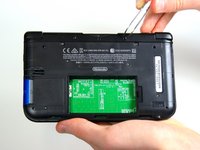
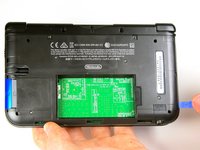
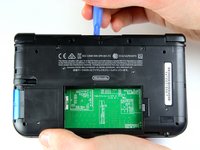
  2. Nintendo 3DS XL Circle Pad Replacement, Remove the back cover: step 2, image 1 of 2 Nintendo 3DS XL Circle Pad Replacement, Remove the back cover: step 2, image 2 of 2
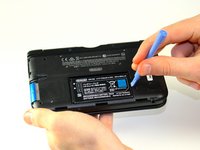
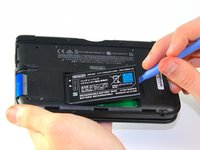
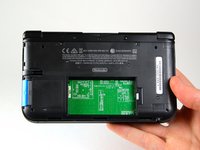
    • Use a plastic opening tool to pry off the clips securing the back cover, starting at the top corners and working your way down.

    • Use your hands to keep the clips from reattaching.

    • Use your hands to remove the back cover.

    Ask FixBot

    Add Comment

  3. Nintendo 3DS XL Circle Pad Replacement: step 3, image 1 of 3 Nintendo 3DS XL Circle Pad Replacement: step 3, image 2 of 3 Nintendo 3DS XL Circle Pad Replacement: step 3, image 3 of 3
    • Insert the plastic opening tool into the opening located on the right side of the battery.

    • Pry the battery out of its recess and remove it.

    Ask FixBot

    Add Comment

  4. Nintendo 3DS XL Circle Pad Replacement, Circle Pad Joystick: step 4, image 1 of 2 Nintendo 3DS XL Circle Pad Replacement, Circle Pad Joystick: step 4, image 2 of 2
    Tool used on this step:
    Tweezers
    $4.99
    Buy
    • Using tweezers pull out the rubber bumpers that are located at the top of the device on either side of the game cartridge compartment.

    Ask FixBot

    Add Comment

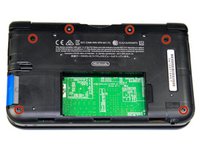
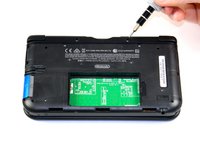
  5. Nintendo 3DS XL Circle Pad Replacement: step 5, image 1 of 2 Nintendo 3DS XL Circle Pad Replacement: step 5, image 2 of 2
    • Remove the six 6.2 mm screws using a Phillips #00 screwdriver

    Ask FixBot

    Add Comment

  6. Nintendo 3DS XL Circle Pad Replacement: step 6, image 1 of 1
    • Remove the 2.3 mm screw located above the game cartridge slot with a Phillips #00 screwdriver.

    Ask FixBot

    Add Comment

  7. Nintendo 3DS XL Circle Pad Replacement: step 7, image 1 of 3 Nintendo 3DS XL Circle Pad Replacement: step 7, image 2 of 3 Nintendo 3DS XL Circle Pad Replacement: step 7, image 3 of 3
    • Make sure the SD card has been removed.

    • With a plastic opening tool pry off the lower case starting at the bottom edge and working around the perimeter.

    • Two ribbon cables connect the case to the circuit board. Be careful to not pull the case too hard and rip the ribbon cables.

    Ask FixBot

    Add Comment

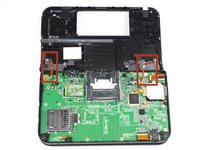
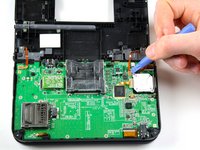
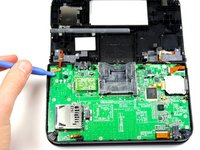
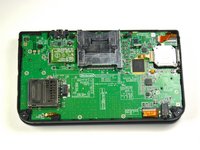
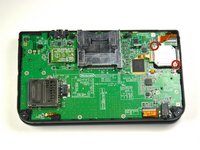
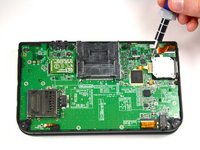
  8. Nintendo 3DS XL Circle Pad Replacement: step 8, image 1 of 3 Nintendo 3DS XL Circle Pad Replacement: step 8, image 2 of 3 Nintendo 3DS XL Circle Pad Replacement: step 8, image 3 of 3
    • Disconnect the ribbon cables located underneath the left and right bumpers by prying up the base of the cables with a plastic opening tool.

    • Completely remove the lower case from the rest of the device and set aside.

    Ask FixBot

    Add Comment

  9. Nintendo 3DS XL Circle Pad Replacement: step 9, image 1 of 2 Nintendo 3DS XL Circle Pad Replacement: step 9, image 2 of 2
    • Position the device such that the game cartridge slot is located at the top.

    • Locate the circle pad on the right side of the device.

    • Remove the two 7.5 mm screws on the upper left and the bottom right corners.

    Ask FixBot

    Add Comment

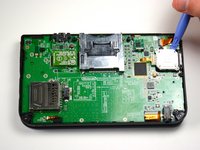
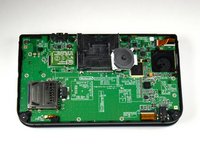
  10. Nintendo 3DS XL Circle Pad Replacement: step 10, image 1 of 2 Nintendo 3DS XL Circle Pad Replacement: step 10, image 2 of 2
    • Using a plastic opening tool pop off the circle pad joystick.

    • Do not use excessive force with the plastic opening tool. There is a ribbon attaching the circle pad joystick to the motherboard that will remain attached.

    • There is a loose washer located in between the circle pad joystick and the circle pad. Use caution and do not lose this piece.

    Ask FixBot

    Add Comment

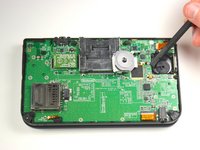
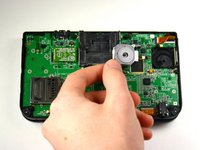
  11. Nintendo 3DS XL Circle Pad Replacement: step 11, image 1 of 2 Nintendo 3DS XL Circle Pad Replacement: step 11, image 2 of 2
    • Using the flat head side of the spudger carefully lift up the retaining flap that attaches the circle pad ribbon to the motherboard.

    • Remove the ribbon and circle pad joystick.

    • To remove the circle pad joystick, remove the thin ring of plastic under the back of the circle pad, and set it aside. Then, rotate the pad to make it slip out.

    Ask FixBot

    Add Comment

Conclusion

To reassemble your device, follow these instructions in reverse order.

Cancel: I did not complete this guide.

115 other people completed this guide.

Charlene Donlon

Member since: 04/08/14

11,225 Reputation

8 Guides authored

Team

Cal Poly, Team 9-13, Regan Spring 2014 Member of Cal Poly, Team 9-13, Regan Spring 2014

CPSU-REGAN-S14S9G13

5 Members

56 Guides authored

32 Guide Comments

Thank you very much.Perfect repair the circle pad.

The circle pad link:http://www.ebay.com/itm/Genuine-New-Anal...?

mouyi chen - Reply Share

Great guide, just upgraded my joystick. Bought my replacement from shapeways. The replacement is metal so it won't break like the last one. Also it's a lot more comfortable.

Anyway highly recommend this replacement:

https://www.shapeways.com/product/76RHQ7...

Omniwheel - Reply Share

I'm having trouble removing the plastic case in step 7, it seems it refuses to come apart at the SD card part. What should I do? What is holding it down?

brittanylikespie1 - Reply Share

Remove the SD card

Daniel Sze - Reply Share

My son broke the circle pad on his 3DS XL while playing Super Smash Bros.. I purchased 2 circle pads just in-case from http://www.ebay.com/itm/Genuine-New-Anal...

Excellent replacement, just like the original circle pad. The write-up and pics were very helpful. Highly recommend for anyone needing to buy and replace the circle button on a 3DS XL.

RickyB - Reply Share

Add Comment

View Statistics:

Past 24 Hours: 63

Past 7 Days: 687

Past 30 Days: 2,363

All Time: 235,758