Free Shipping on Domestic Orders $75+

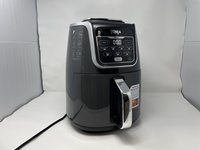
Ninja AF161 Max XL Gray Frame Replacement

What you need

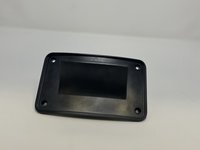
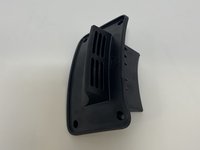
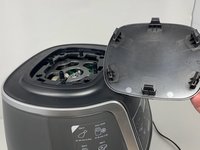
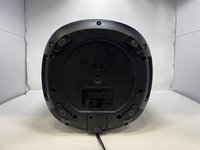
  1. Ninja AF161 Max XL Gray Frame Replacement, Back Vent Cover: step 1, image 1 of 1
    • The back vent cover is directly above where the power cord protrudes.

    Ask FixBot

    Add Comment

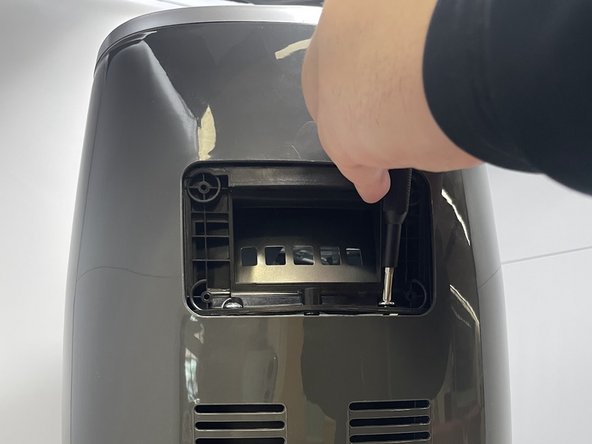
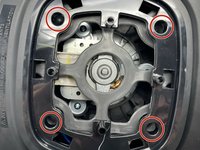
  2. Ninja AF161 Max XL Gray Frame Replacement: step 2, image 1 of 2 Ninja AF161 Max XL Gray Frame Replacement: step 2, image 2 of 2
    • Use a Phillips #2 screwdriver to unscrew and remove four 1 cm screws from the panel.

    Ask FixBot

    Add Comment

  3. Ninja AF161 Max XL Gray Frame Replacement: step 3, image 1 of 2 Ninja AF161 Max XL Gray Frame Replacement: step 3, image 2 of 2
    • Once unscrewed, remove all four screws in order to remove the back vent cover.

    Ask FixBot

    Add Comment

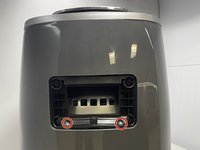
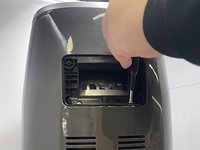
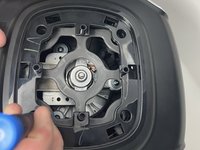
  4. Ninja AF161 Max XL Gray Frame Replacement, Gray Frame: step 4, image 1 of 2 Ninja AF161 Max XL Gray Frame Replacement, Gray Frame: step 4, image 2 of 2
    • After you have the vent removed, you will see two 2.2 cm screws holding the casing in. Use a Phillips #1 screwdriver to remove the two screws.

    • Be wary that the two screws are quite tight and will require a bit of torsion to get out.

    Ask FixBot

    Add Comment

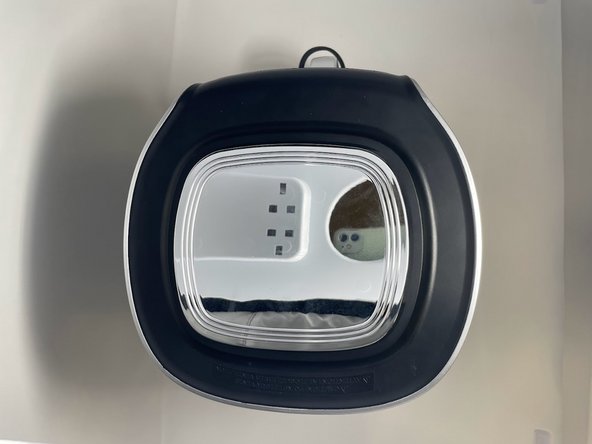
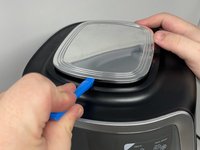
  5. Ninja AF161 Max XL Gray Frame Replacement: step 5, image 1 of 3 Ninja AF161 Max XL Gray Frame Replacement: step 5, image 2 of 3 Ninja AF161 Max XL Gray Frame Replacement: step 5, image 3 of 3
    • Use the a plastic opening tool or a similar object to wedge between the silver top and black rim.

    • Pry all four sides towards the middle with a plastic opening tool to release the tabs.

    • The tabs on the top will make sounds while being detached from the device.

    Ask FixBot

    Add Comment

  6. Ninja AF161 Max XL Gray Frame Replacement: step 6, image 1 of 2 Ninja AF161 Max XL Gray Frame Replacement: step 6, image 2 of 2
    • Unscrew the four 2.2 cm screws with a Phillips #1 screwdriver.

    Ask FixBot

    Add Comment

  7. Ninja AF161 Max XL Gray Frame Replacement: step 7, image 1 of 2 Ninja AF161 Max XL Gray Frame Replacement: step 7, image 2 of 2
    • Lay the air fryer on its side.

    Ask FixBot

    Add Comment

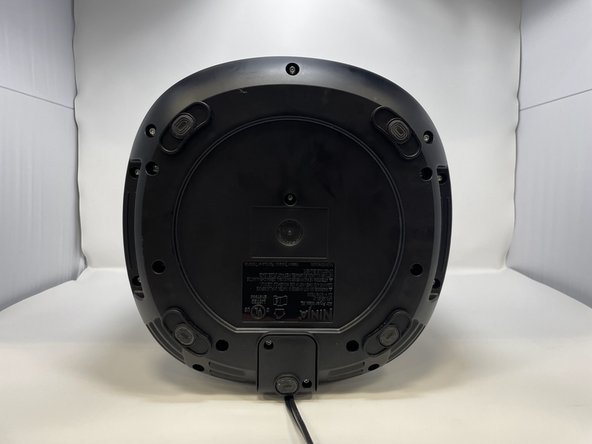
  8. Ninja AF161 Max XL Gray Frame Replacement: step 8, image 1 of 2 Ninja AF161 Max XL Gray Frame Replacement: step 8, image 2 of 2
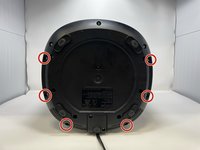
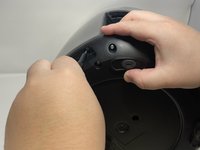
    • Remove six 1.4 cm screws with the TR15 Torx Security Screwdriver.

    Ask FixBot

    Add Comment

  9. Ninja AF161 Max XL Gray Frame Replacement: step 9, image 1 of 1
    • Keep the device on its side, and unscrew and remove two 1.4 cm screws with a Phillips #1 screwdriver.

    Ask FixBot

    Add Comment

  10. Ninja AF161 Max XL Gray Frame Replacement: step 10, image 1 of 1
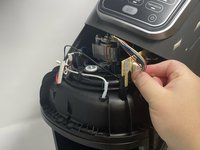
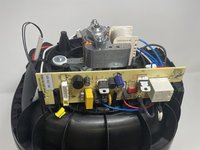
    • The lid can now be lifted off. Remove by prying the bottom apart and lifting.

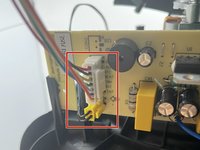
    • After lifting the lid, you will see the white and yellow wire heads that connect the air fryer display screen to the motherboard.

    Ask FixBot

    Add Comment

  11. Ninja AF161 Max XL Gray Frame Replacement: step 11, image 1 of 3 Ninja AF161 Max XL Gray Frame Replacement: step 11, image 2 of 3 Ninja AF161 Max XL Gray Frame Replacement: step 11, image 3 of 3
    • Pinch the white tab and wire head together and pull to release the connector.

    • Take care to not bend the circuit board while attempting removal of this connector. This will damage the circuit board.

    Ask FixBot

    Add Comment

Conclusion

To reassemble your device, follow these instructions in reverse order.

Cancel: I did not complete this guide.

One other person completed this guide.

Alina Sanchez

Member since: 02/14/23

342 Reputation

2 Guides authored

0 Guide Comments

Add Comment

View Statistics:

Past 24 Hours: 0

Past 7 Days: 11

Past 30 Days: 27

All Time: 702