
Nikon D700 Screen Replacement

Leandro Neves and 3 other contributors
Last updated on May 7, 2024
Views: 3.1K
View statistics:
- Past 24 Hours:
- 1
- Past 7 Days:
- 26
- Past 30 Days:
- 142
- All Time:
- 3,053
Comments: 0
No one has left comments on this guide. Will you be first?
Go to guide commentsCompleted: 0 1
No one has marked this guide "completed." Will you be the first?
1 person has marked this guide "completed." It's you — great job!
Favorites: 0 1
No one has favorited (and subscribed to) this guide. Will you be the first?
1 person has favorited (and subscribed to) this guide — and that's you!
Action Shots
Be an action hero! This guide needs images that better demonstrate how to perform specific actions.
Needs More Images
A few more images would make this guide's procedures crystal clear.
Better Introduction
Improve this guide by completing or revising its introduction.
Missing Details
Some of this guide's details are missing. Help users by adding tools, difficulty, or time.
Introduction
Go to step 1 ↓If your Nikon D700 screen needs to be replaced because it is broken/faulty, use this guide to replace your Nikon D700 screen.
-
-
Tool used on this step:iOpener$24.95
-
Use a spudger and your hands to remove the front grip cover, held together by an adhesive.
-
Under the rubber cover, use a screwdriver to remove one screw on the top right corner.
 Ask FixBot
-
-
-
Use a Phillips #00 screwdriver to remove the five screws that hold the cover in place.
-
-
Tool used on this step:Tweezers$4.99
-
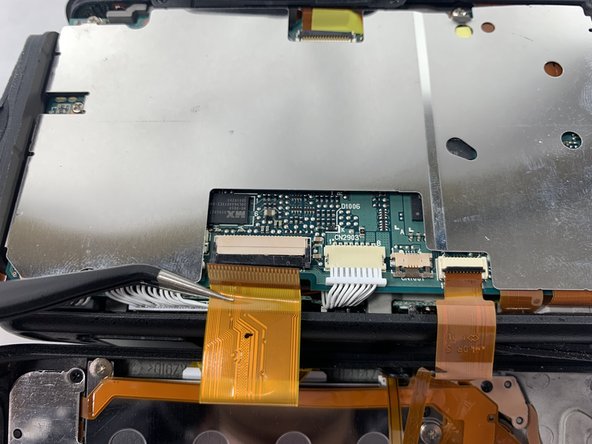
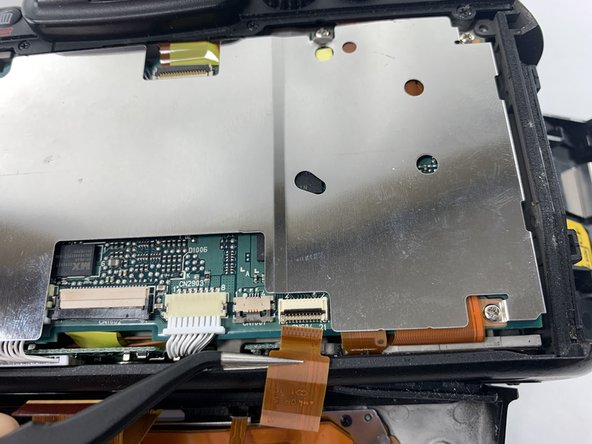
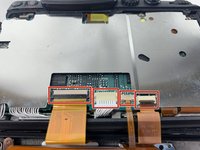
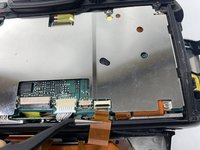
To remove the screen entirely, use a spudger to unlock the connectors.
-
Pull the cables out gently using tweezers or your spudger.
-
-
-
-
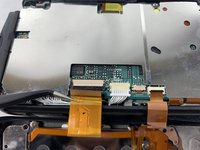
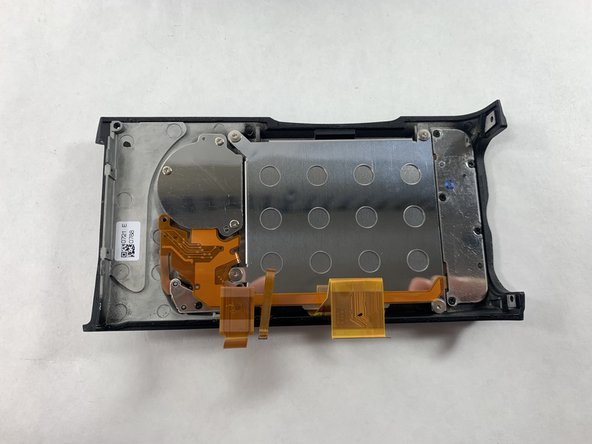
The screen should be completely detached from the camera and can now be replaced with a new screen.
-
-




To reassemble your device, follow these instructions in reverse order.

Team

UMass Dartmouth, Team 5-4, Ramos Spring 2023 Member of UMass Dartmouth, Team 5-4, Ramos Spring 2023
UMASSD-RAMOS-S23S5G4
4 Members
24 Guides authored
