
Nikon D70 Memory Compression Board Replacement

Andrew Bookholt and 2 other contributors
Last updated on May 7, 2024
Views: 25K
View statistics:
- Past 24 Hours:
- 2
- Past 7 Days:
- 19
- Past 30 Days:
- 107
- All Time:
- 24,547
Comments: 0
No one has left comments on this guide. Will you be first?
Go to guide commentsCompleted: 4 5
4 people have marked this guide "completed." Will you be next?
5 people have marked this guide "completed." Including you — great job!
Favorites: 2 3
2 people have favorited (and subscribed to) this guide. Will you be next?
3 people have favorited (and subscribed to) this guide — including you!
Introduction
Go to step 1 ↓Use this guide to replace the memory compression board.
What you need
Tools


-
-
-
Use your finger tip to pull the battery release tab toward the center of the D70.
-
Open the battery door and rotate it away from the bottom cover.
 Ask FixBot
-
-
-
-
-
Remove the following eight screws securing the bottom cover to the D70:
-
Six 5.8 mm Phillips screws
-
One 10.7 mm Phillips screws
-
One 8.2 mm Phillips screws
-
-
-
Carefully pull the bottom cover to separate it from the body of the D70.
-
Remove the bottom cover from the D70.
-
-
-
-
-
Remove the four ZIF ribbon cables highlighted in red by using the following procedure:
-
Use your fingernail to flip up the ZIF cable retaining flap on each socket.
-
Pull the ribbon cable straight out of its socket.
-
-
-
Carefully peel back the piece of tape covering the Compact Flash ribbon cable socket.
-
-
Tool used on this step:Tweezers$4.99
-
Use your fingernails to carefully pull the ZIF cable lock away from its socket.
-
Use a pair of tweezers to pull the Compact Flash ribbon cable out of its socket.
-
-
-
-
Remove the four 4.3 mm Phillips screws securing the memory compression board to the D70.
-
-
-
Use a pair of tweezers to pull the USB connector bracket away from the edge of the memory compression board.
-
-
-
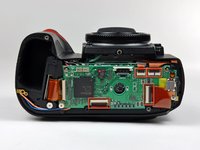
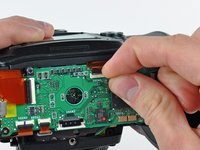
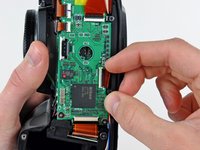
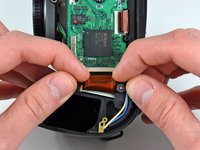
Grab the memory compression board by its edges at the position shown in the first picture.
-
Pull the memory compression board straight up off the DC/DC board to avoid damaging the connector on the underside of the memory compression board.
-
-




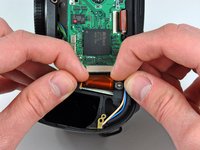
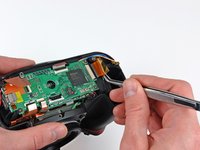


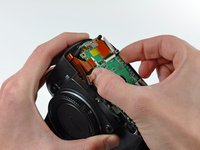
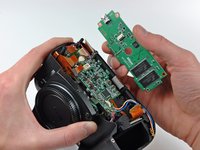
To reassemble your device, follow these instructions in reverse order.
Cancel: I did not complete this guide.
4 other people completed this guide.

