Introduction
The LCD unit is the main component of the digital display on the D5100. This guide will teach you how to remove and replace it.
What you need
-
-
-
Use a Phillips #000 screwdriver to remove the four screws around the perimeter of the LCD panel.
 Ask FixBot
-
-
-
Using a fingernail or the flat edge of a spudger inserted into the seam, separate the LCD bevel from the main panel body.
-
-
-
-
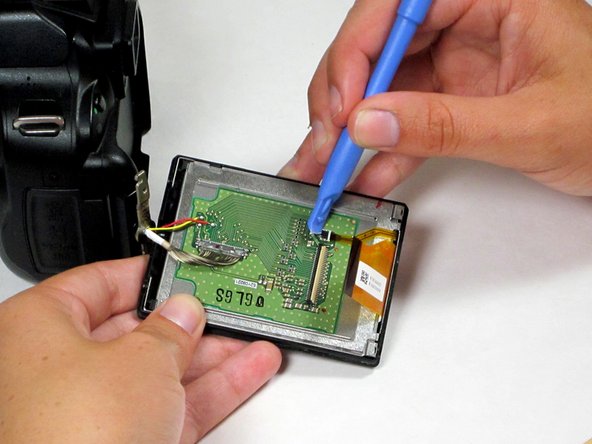
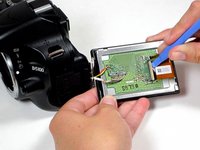
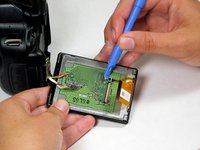
Use a spudger to remove the ribbon cables on the LCD's circuit board by flipping up their plastic lock-bars and removing gently pulling them out of their ports.
-
-
-
Use a spudger to disconnect the 16-pin cable by gently pulling it upward, away from the circuit board, until it is removed from its port.
-
-
-
Desolder the 3 wires (red, yellow, and black) connecting the LCD board to the main camera body.
-
-
-
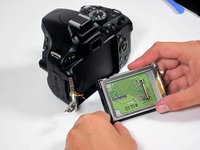
The LCD assembly can now be fully separated from the main camera body.
-
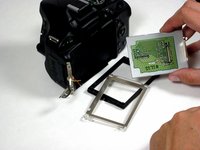
Remove the plastic bezel and metal bracket from the LCD itself to complete the removal process.
-
-




To reassemble your device, follow these instructions in reverse order.
Cancel: I did not complete this guide.
10 other people completed this guide.

Team

Cal Poly, Team 10-54, Amido Spring 2014 Member of Cal Poly, Team 10-54, Amido Spring 2014
CPSU-AMIDO-S14S10G54
4 Members
60 Guides authored
7 Guide Comments
Thanks for this Liz.
Removing the broken LCD from my Nikon D5100 seems like something I can do now!
I am unsure ?how to do the soldering bit to attach the new LCD, ?where to attach the wires...
Any help is welcome
I was able to fix it, thanks to you guys. But the colors that came on the, LCD are weird. At least I can see the image.
I am having trouble reconnecting the 16-pin cable to the circuit board. Do you have any tips?
