Introduction
You may need a new battery if you have noticed your S9700 needs charging more often, if your S9700 keeps turning off for no apparent reason, or a variety of other issues. Removing the battery is very simple and does not require a lot of knowledge of the camera itself. With a new battery installed, you can be a photographer with confidence.
-
-
Place the S9700 upside down
-
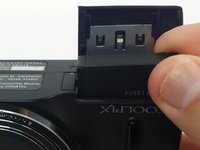
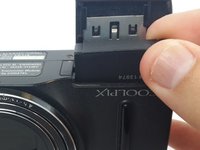
Place your finger on the battery compartment cover and gently push toward the front of the S9700.
-
The cover will open up by itself.
-
-
-
-
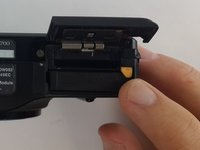
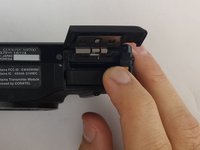
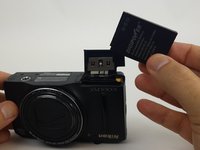
Push the yellow tab inside the battery compartment in the direction of the arrow. This will allow the battery to spring up.
-


 Ask FixBot




To reassemble your device, follow these instructions in reverse order.

Team

USF Tampa, Team 9-5, Lacy Fall 2016 Member of USF Tampa, Team 9-5, Lacy Fall 2016
USFT-LACY-F16S9G5
4 Members
10 Guides authored
