Introduction
When a button gets jammed or becomes sticky it can be very frustrating. It may work sometimes, but requires a lot of pressure. This may be due to a liquid spilling on the device, or it may just be from the button becoming locked out of place. This guide will show you how to reverse the jam quickly so you can resume taking pictures.
What you need
-
-
-
Clean your camera buttons. This can be done using isopropyl alcohol and a cotton swab. If the button is still jammed, proceed to Step 2.
 Ask FixBot
-
-
-
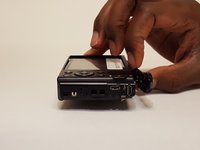
Remove the outer frame of the camera by unscrewing the screws around its sides with a JIS J000 screwdriver.
-
3.2mm screws (not fully threaded)
-
3mm screws
-
4.2mm screws (coarser thread)
-
-
-
-
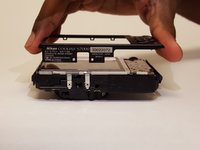
Remove outer camera frames by carefully pulling the frame apart from the body of the camera.
-
-
-
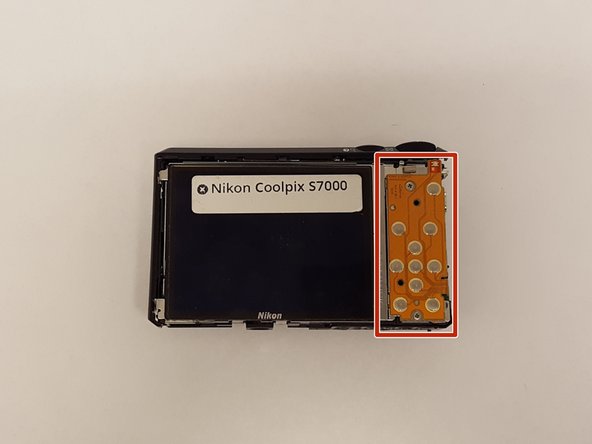
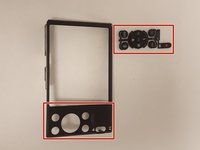
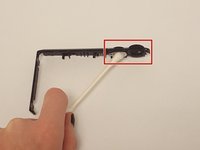
At this point push out any buttons that were jammed, and, clean the inside portion where the button sits inside the frames with isopropyl alcohol and a cotton swab as moisture may have found its way inside the camera causing stickiness.
-
Swab this portion.
-
-
-
If the navigation button is stuck, twist it around while the frame is removed to see if you can locate any obstructions.
-
If the shutter button is stuck, press up against it from the inside with your finger or the screwdriver to dislodge it.
-
-
-
After following all previous steps and the button is still jammed or sticky, it may be necessary to replace the button. To do so follow this Button Replacement guide Nikon Coolpix S7000 Navigation Button Replacement.
-
-




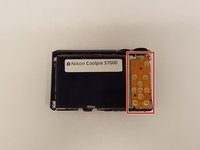


To reassemble your device, follow these instructions in reverse order.
Cancel: I did not complete this guide.
One other person completed this guide.

Team

USF Tampa, Team S2-G3, Lacy Spring 2017 Member of USF Tampa, Team S2-G3, Lacy Spring 2017
USFT-LACY-S17S2G3
4 Members
60 Guides authored
