Free Shipping on Domestic Orders $75+

Nikon Coolpix S7000 Shutter Button Replacement

What you need

    1. Nikon Coolpix S7000 Shutter Button Replacement, Shutter Button: step 1, image 1 of 2 Nikon Coolpix S7000 Shutter Button Replacement, Shutter Button: step 1, image 2 of 2
      • Remove the outer frame of the camera by unscrewing the screws around its sides with a JIS J000 screwdriver.

      • Screw locations.

      Ask FixBot

      Add Comment

    2. Nikon Coolpix S7000 Shutter Button Replacement: step 2, image 1 of 2 Nikon Coolpix S7000 Shutter Button Replacement: step 2, image 2 of 2
      • Remove outer camera frames by carefully pulling the frame apart from the body of the camera.

      Ask FixBot

      Add Comment

    3. Nikon Coolpix S7000 Shutter Button Replacement: step 3, image 1 of 2 Nikon Coolpix S7000 Shutter Button Replacement: step 3, image 2 of 2
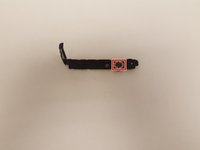
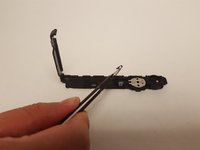
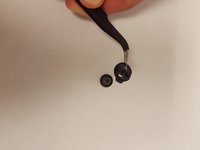
      • Once the shutter button assembly is removed from the camera shell, carefully remove the black tape on the underside of the metal plate.

      • Black tape.

      • Do not discard the tape as you will reapply it when putting the shutter assembly back together.

      Ask FixBot

      Add Comment

    4. Nikon Coolpix S7000 Shutter Button Replacement: step 4, image 1 of 3 Nikon Coolpix S7000 Shutter Button Replacement: step 4, image 2 of 3 Nikon Coolpix S7000 Shutter Button Replacement: step 4, image 3 of 3
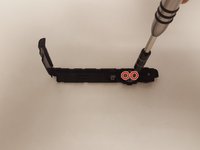
      • Unscrew the two screws on each side of the metal plate to remove the plate and springs underneath it.

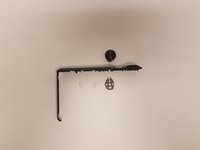
      • Push the button through the assembly to release it and then carefully remove the button cover to reveal the coiled spring and bottom cover.

      • Locations of the two screws.

      • Be very careful not to lose the two metal plate springs and the coiled spring when disassembling. A slow and steady hand will help prevent the springs from ejecting.

      Ask FixBot

      Add Comment

Conclusion

To reassemble your device, follow these instructions in reverse order.

Cancel: I did not complete this guide.

Nicholas Leon-Schetina

Member since: 02/24/17

116 Reputation

1 Guide authored

Team

USF Tampa, Team S2-G3, Lacy Spring 2017 Member of USF Tampa, Team S2-G3, Lacy Spring 2017

USFT-LACY-S17S2G3

4 Members

60 Guides authored

1 Guide Comment

shutter keeps trying to open. clicks slighly and does not open

Beatrix - Reply Share

Add Comment

View Statistics:

Past 24 Hours: 0

Past 7 Days: 5

Past 30 Days: 23

All Time: 1,187