Introduction
If you need to replace a damaged case with a new case of the Nikon Coolpix S6500 you can do it with the help of this guide. For this guide, you will need a Phillips PH000 Screwdriver to remove the screws. Store the screws safely. Open the case carefully. Before beginning, make sure to power off the camera completely and disconnect it from any external power source.
What you need
-
-
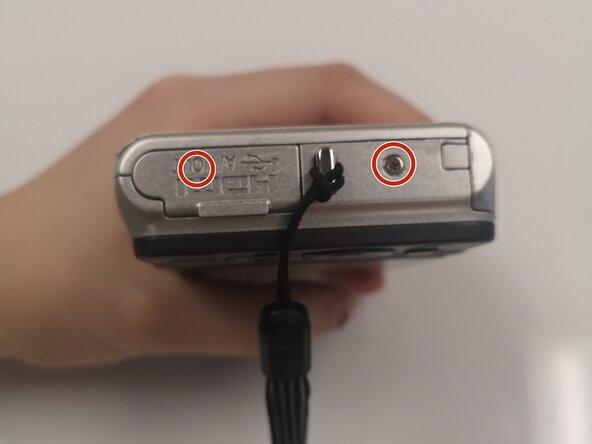
Remove all eight 3mm screws by using the Phillips #1 screwdriver. One is behind the flap covering the HDMI and charging ports.
 Ask FixBot
-
-




To reassemble your device, follow these instructions in reverse order.

Team

Duke University Pratt School of Engineering, Team S4-G2, Matos-Garner Fall 2019 Member of Duke University Pratt School of Engineering, Team S4-G2, Matos-Garner Fall 2019
DUKEPSE-MATOS-GARNER-F19S4G2
4 Members
8 Guides authored
