Introduction
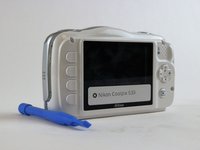
In order to replace the motherboard, LCD screen, or speakers in the Nikon Coolpix S33 camera, the back cover needs to come off. This guide will show users how to remove the cover by taking out the screws, and prying off the back cover.
What you need
-
-
Remove all four T5 Torx screws from the exterior of the camera.
-
Remove all three T5 Torx screws located at the bottom of the camera next to the battery compartment.
 Ask FixBot
-
-
-
-
Remove the two screws located above the HDMI and USB logos that are inside the camera's battery compartment using a JIS000 screwdriver.
-


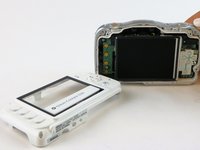
To reassemble your device, follow these instructions in reverse order.
Cancel: I did not complete this guide.
One other person completed this guide.

Team

USF Tampa, Team 16-3, Blackwell Winter 2016 Member of USF Tampa, Team 16-3, Blackwell Winter 2016
USFT-BLACKWELL-W16S16G3
3 Members
10 Guides authored
