Free Shipping on Domestic Orders $75+

Nikon Coolpix S3100 Camera Disassembly

What you need

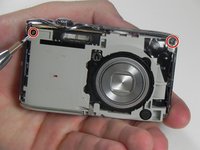
    1. Nikon Coolpix S3100 Camera Disassembly, Nikon Coolpix S3100 disassembly: step 1, image 1 of 3 Nikon Coolpix S3100 Camera Disassembly, Nikon Coolpix S3100 disassembly: step 1, image 2 of 3 Nikon Coolpix S3100 Camera Disassembly, Nikon Coolpix S3100 disassembly: step 1, image 3 of 3
      • Remove 8-2.46 mm screws from both sides and bottom of camera using a #000 Phillips screwdriver.

      • Remove 2 screws from left side. (picture 1)

      • Remove 4 screws from bottom. (picture 2)

      • Remove 2 screws from right side. (picture 3)

      Ask FixBot

      Add Comment

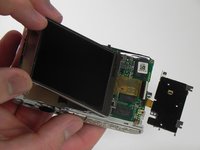
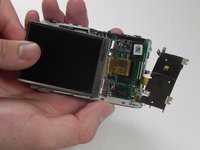
    2. Nikon Coolpix S3100 Camera Disassembly: step 2, image 1 of 2 Nikon Coolpix S3100 Camera Disassembly: step 2, image 2 of 2
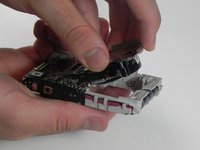
      • Remove black cover pulling up with left thumb. Hold silver cover with right thumb.

      • Remove silver cover lifting up with left thumb. Hold the camera with right thumb.

      • Once internal circuit board is exposed, the red and blue wire terminals at top center can provide a nasty shock from the charged flash capacitor (silver can to left of terminals). BE CAREFUL!

      Ask FixBot

      Add Comment

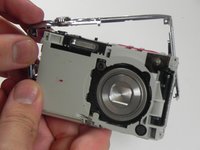
    3. Nikon Coolpix S3100 Camera Disassembly: step 3, image 1 of 2 Nikon Coolpix S3100 Camera Disassembly: step 3, image 2 of 2
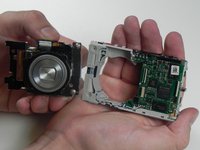
      • Remove 2-2.10mm screws in the front of the camera using a #000 Phillips screwdriver.

      • Remove the two screws.

      • Gently pull up to detach the frame. (picture 2)

      Ask FixBot

      Add Comment

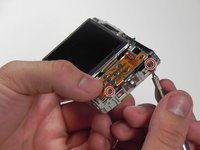
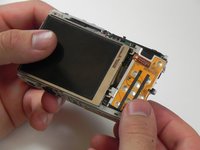
    1. Nikon Coolpix S3100 Camera Disassembly, Nikon Coolpix S3100 Camera Disassembly: step 4, image 1 of 2 Nikon Coolpix S3100 Camera Disassembly, Nikon Coolpix S3100 Camera Disassembly: step 4, image 2 of 2
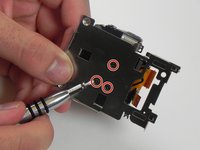
      • Remove 2-2.10mm screws using a #000 Phillips screwdriver.

      • Gently pull the orange board to the right. (picture 2)

      Ask FixBot

      Add Comment

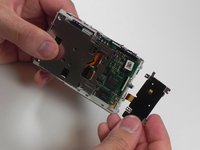
    2. Nikon Coolpix S3100 Camera Disassembly: step 5, image 1 of 3 Nikon Coolpix S3100 Camera Disassembly: step 5, image 2 of 3 Nikon Coolpix S3100 Camera Disassembly: step 5, image 3 of 3
      • Lift screen up holding the corners.

      • Lift black latch and gently pull to the left to release from ZIF connector. (picture 2)

      • Gently pull the orange board to the right. (picture 3)

      Ask FixBot

      Add Comment

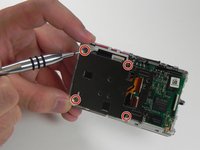
    3. Nikon Coolpix S3100 Camera Disassembly: step 6, image 1 of 2 Nikon Coolpix S3100 Camera Disassembly: step 6, image 2 of 2
      • Remove 4-2.10mm screws using a #000 Phillips screwdriver.

      • Gently pull the shutter up. (picture 2)

      Ask FixBot

      Add Comment

    4. Nikon Coolpix S3100 Camera Disassembly: step 7, image 1 of 2 Nikon Coolpix S3100 Camera Disassembly: step 7, image 2 of 2
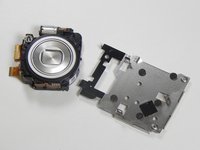
      • Lens is now separated from body.

      • Remove 3-2.12mm screws using #000 Phillips screwdriver.

      Ask FixBot

      Add Comment

    5. Nikon Coolpix S3100 Camera Disassembly: step 8, image 1 of 3 Nikon Coolpix S3100 Camera Disassembly: step 8, image 2 of 3 Nikon Coolpix S3100 Camera Disassembly: step 8, image 3 of 3
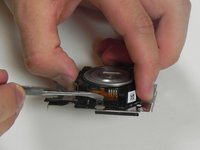
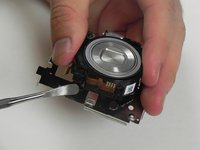
      • Use a nylon or metal spudger to release the lens.

      • Repeat step 4 to the opposite side of the lens. (picture 2)

      • Lens is now separated from metal.

      Ask FixBot

      Add Comment

    6. Nikon Coolpix S3100 Camera Disassembly: step 9, image 1 of 3 Nikon Coolpix S3100 Camera Disassembly: step 9, image 2 of 3 Nikon Coolpix S3100 Camera Disassembly: step 9, image 3 of 3
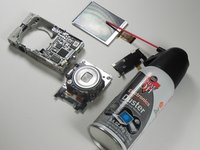
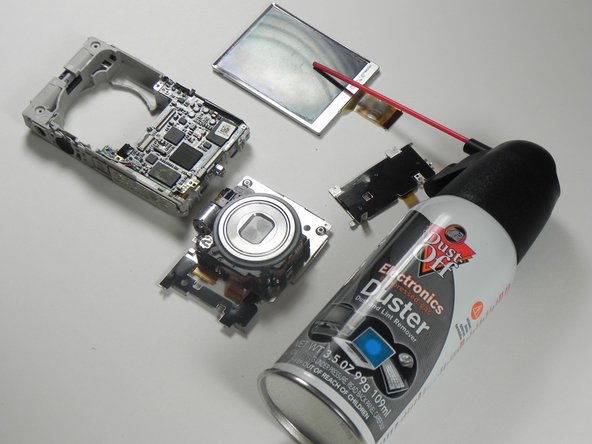
      • Once you have all the parts separated, start cleaning them with an air compressor bottle. (as shown)

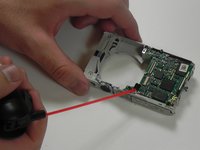
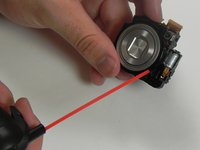
      • Using the provided straw, start spraying the parts. (pictures 2 and 3)

      Ask FixBot

      Add Comment

Conclusion

To reassemble your device, follow these instructions in reverse order.

Cancel: I did not complete this guide.

3 other people completed this guide.

Jorge

Member since: 03/11/15

1,248 Reputation

7 Guides authored

Team

2 Guide Comments

accidentally touched the wires for the cap even though i read the warning, can confirm, not fun

zettabyte - Reply Share
@zettabyte well now I want to do it

Xide - Reply Share
Add Comment

View Statistics:

Past 24 Hours: 1

Past 7 Days: 21

Past 30 Days: 133

All Time: 5,016