Free Shipping on Domestic Orders $75+

Nikon Coolpix P100 Display Screen Replacement

Views: 4K

View statistics:

Past 24 Hours:
1
Past 7 Days:
22
Past 30 Days:
138
All Time:
4,037
Comments: 3

3 guide comments.

Go to guide comments
Completed: 6

6 people have marked this guide "completed." Will you be next?

Favorites: 0

No one has favorited (and subscribed to) this guide. Will you be the first?

Time Required: 15 - 30 minutes
Difficulty: Moderate
Slice and Dice

The steps in this guide should be split up and made into a series of prerequisite guides.

Step Trimmer

This guide has unnecessary steps. Trim them to be more concise!

Better Introduction

Improve this guide by completing or revising its introduction.

Nikon Coolpix P100 Display Screen Replacement

What you need

Tools

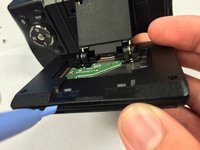
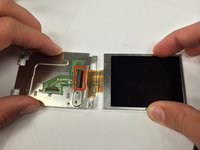
    1. Nikon Coolpix P100 Display Screen Replacement, Display Screen: step 1, image 1 of 3 Nikon Coolpix P100 Display Screen Replacement, Display Screen: step 1, image 2 of 3 Nikon Coolpix P100 Display Screen Replacement, Display Screen: step 1, image 3 of 3
      • Flip the camera upside down so that the side with the serial number is face up.

      • Pull back the display panel. Orient the panel so that you are able to view the back of it.

      Ask FixBot

      Add Comment

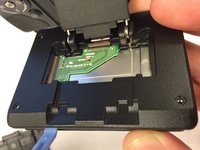
    2. Nikon Coolpix P100 Display Screen Replacement: step 2, image 1 of 2 Nikon Coolpix P100 Display Screen Replacement: step 2, image 2 of 2
      • Remove the two screws closest to the piece connecting the panel to the camera with a Phillips #1 screwdriver.

      Ask FixBot

      Add Comment

    3. Nikon Coolpix P100 Display Screen Replacement: step 3, image 1 of 1
      • Remove the cover that was unscrewed in the last step.

      Ask FixBot

      Add Comment

    4. Nikon Coolpix P100 Display Screen Replacement: step 4, image 1 of 1
      • Remove the remaining four screws on the outermost corners of the panel using a Phillips #1 screwdriver.

      Ask FixBot

      Add Comment

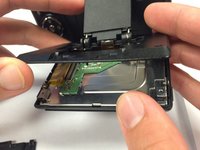
    5. Nikon Coolpix P100 Display Screen Replacement: step 5, image 1 of 3 Nikon Coolpix P100 Display Screen Replacement: step 5, image 2 of 3 Nikon Coolpix P100 Display Screen Replacement: step 5, image 3 of 3
      • Use a plastic opening tool to pry open the back panel of the display screen.

      Ask FixBot

      Add Comment

    6. Nikon Coolpix P100 Display Screen Replacement: step 6, image 1 of 3 Nikon Coolpix P100 Display Screen Replacement: step 6, image 2 of 3 Nikon Coolpix P100 Display Screen Replacement: step 6, image 3 of 3
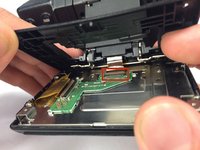
      • Carefully unhook the ribbon that attaches the panel to the camera.

      • Remove the top black panel cover.

      Ask FixBot

      Add Comment

    7. Nikon Coolpix P100 Display Screen Replacement: step 7, image 1 of 1
      • Remove the two screws on the panel that are closest to the ribbon cable using a Phillips #1 screwdriver.

      Ask FixBot

      Add Comment

    8. Nikon Coolpix P100 Display Screen Replacement: step 8, image 1 of 1
      • Remove the other two screws on the opposite side of the panel using a Phillips #1 screwdriver.

      Ask FixBot

      Add Comment

    9. Nikon Coolpix P100 Display Screen Replacement: step 9, image 1 of 2 Nikon Coolpix P100 Display Screen Replacement: step 9, image 2 of 2
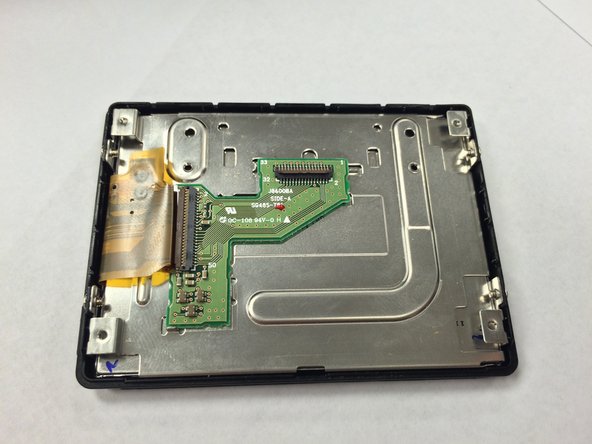
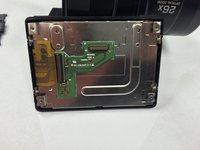
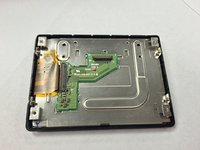
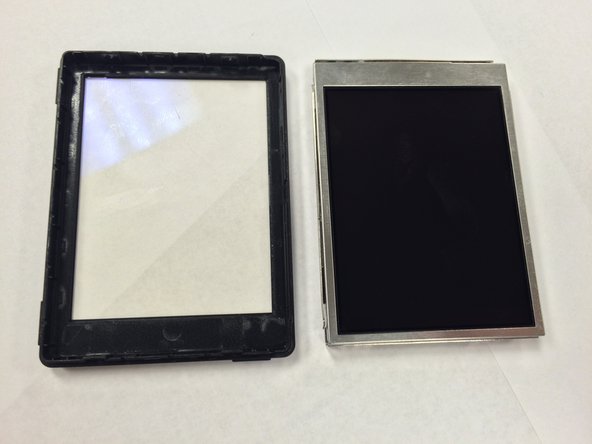
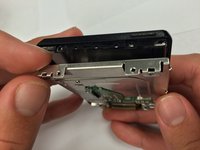
      • Separate the metal portion of the screen from the plastic portion.

      Ask FixBot

      Add Comment

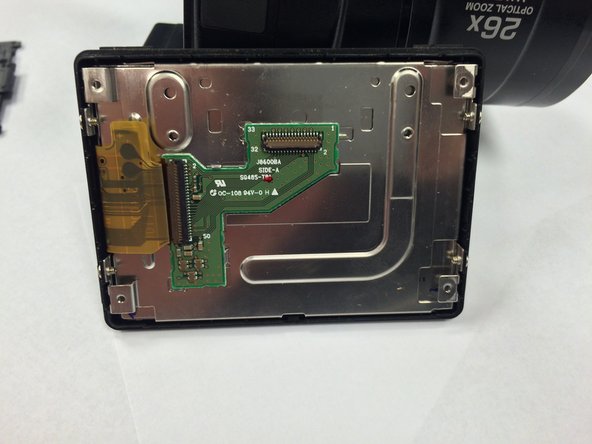
    10. Nikon Coolpix P100 Display Screen Replacement: step 10, image 1 of 2 Nikon Coolpix P100 Display Screen Replacement: step 10, image 2 of 2
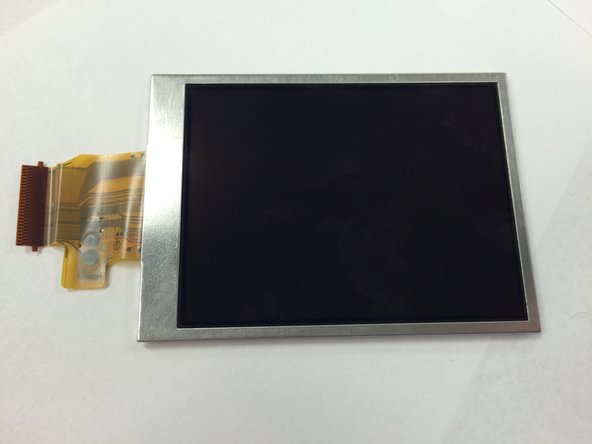
      • Carefully remove the ribbon connector cable from the metal portion of the display.

      • Remove the display from the rest of the device.

      Ask FixBot

      Add Comment

Conclusion

To reassemble your device, follow these instructions in reverse order.

Cancel: I did not complete this guide.

6 other people completed this guide.

Rikki Brown

Member since: 01/09/15

279 Reputation

2 Guides authored

Team

USF Tampa, Team 1-1, Tanski Winter 2015 Member of USF Tampa, Team 1-1, Tanski Winter 2015

USFT-TANSKI-W15S1G1

3 Members

48 Guides authored

3 Guide Comments

This guide help me to change my screen on Nikon P100 with out to much trouble, however I found step 7 unnecessary.

David Fyock - Reply Share

Hello, I've a problem during the re-mount of the display. Someone can help me? Thanks in advance! Mark

cwmark56 - Reply Share

I can't reconnect the connector on the step 10. Can you help me?

cwmark56 - Reply Share

Add Comment

View Statistics:

Past 24 Hours: 1

Past 7 Days: 22

Past 30 Days: 138

All Time: 4,037