Free Shipping on Domestic Orders $75+

Nikon Coolpix L830 LCD Monitor Replacement

What you need

  1. Nikon Coolpix L830 LCD Monitor Replacement, LCD Monitor: step 1, image 1 of 1
    • Use a Phillips head P000 screwdriver to remove the four 3.0 mm Phillips screws on the back of the monitor.

    Ask FixBot

    Add Comment

  2. Nikon Coolpix L830 LCD Monitor Replacement: step 2, image 1 of 1
    • Use a Phillips head P000 screwdriver to remove the two 3.0 mm Phillips screws on the hinge cover.

    Ask FixBot

    Add Comment

  3. Nikon Coolpix L830 LCD Monitor Replacement: step 3, image 1 of 2 Nikon Coolpix L830 LCD Monitor Replacement: step 3, image 2 of 2
    • Remove the top hinge cover.

    • The top hinge cover contains screw holes.

    • Remove the bottom hinge cover.

    • The bottom hinge cover contains no screw holes.

    Ask FixBot

    Add Comment

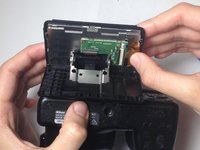
  4. Nikon Coolpix L830 LCD Monitor Replacement: step 4, image 1 of 1
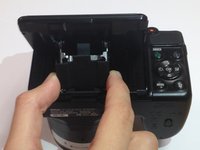
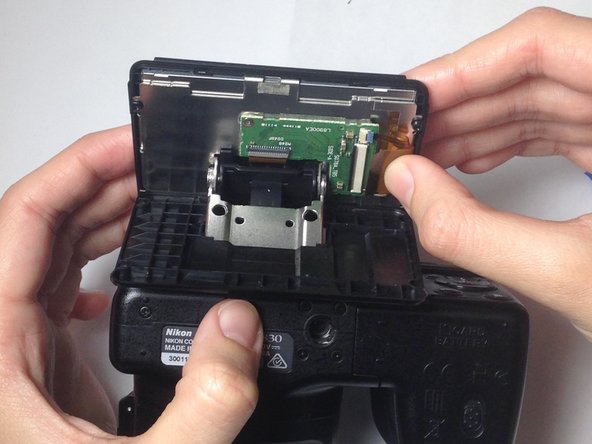
    • Remove the back cover of the LCD monitor with your hands or a plastic opening tool.

    • The cover will slide down the hinge, but it will not be completely removed.

    Ask FixBot

    Add Comment

  5. Nikon Coolpix L830 LCD Monitor Replacement: step 5, image 1 of 2 Nikon Coolpix L830 LCD Monitor Replacement: step 5, image 2 of 2
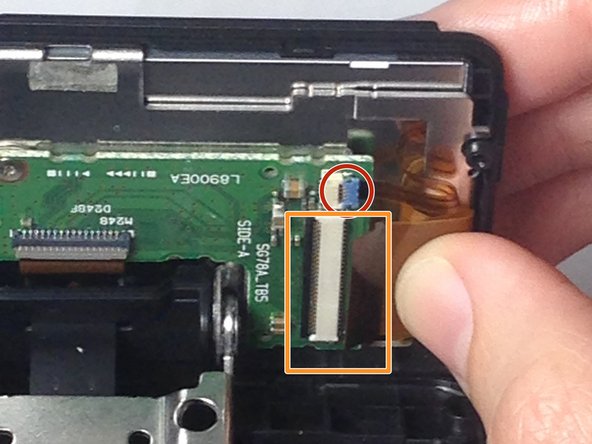
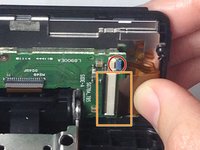
    • Use your thumb to gently pull the small flex ribbon wire connector from its socket.

    • Use your thumb to gently pull the wide flex ribbon wire connector from its socket.

    Ask FixBot

    Add Comment

  6. Nikon Coolpix L830 LCD Monitor Replacement: step 6, image 1 of 1
    • Use a plastic opening tool to remove the front cover of the LCD monitor, allowing the monitor to be completely be released.

    Ask FixBot

    Add Comment

  7. Nikon Coolpix L830 LCD Monitor Replacement: step 7, image 1 of 1
    • Gently remove the old, damaged LCD monitor.

    Ask FixBot

    Add Comment

Conclusion

To reassemble your device, follow these instructions in reverse order.

Cancel: I did not complete this guide.

One other person completed this guide.

Blake Johnson

Member since: 10/28/16

359 Reputation

2 Guides authored

Team

Baylor, Team 4-4, Williams Fall 2016 Member of Baylor, Team 4-4, Williams Fall 2016

BU-WILLIAMS-F16S4G4

3 Members

10 Guides authored

2 Guide Comments

I cant remove two of the screws. Help

jo Hogan - Reply Share

Très bien pour démonter , mais pour remonter les nappes, notamment la moins large, je n'arrive pas à l'insérer !

Avez vous une technique à me proposer ?

Michel Cassel - Reply Share

Add Comment

View Statistics:

Past 24 Hours: 4

Past 7 Days: 7

Past 30 Days: 44

All Time: 3,378