Introduction
Use this guide to replace the LCD.
What you need
-
-
Clearly visible damage to the LCD. It did not even light up.
-
Remove the screw from the right side.
-
Remove the visible screw from the left side.
 Ask FixBot
-
-
-
Open the USB A/C cover, there is one more screw that needs to be removed. That is why it is important to always remove all covers...
-
Remove the three screws from the bottom.
-
Start splitting the case from the battery compartment. I used an opening tool, but fingernails will be sufficient as well.
-
-
-
-
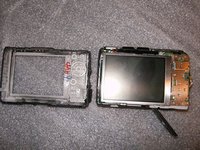
After the splitting of the case, the LCD is imediately visible.
-
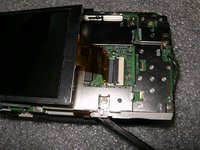
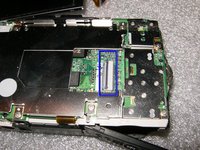
Flip the black clasp up by using fingernails or the opening tool. No big force is required. Remove the old LCD.
-
-
-
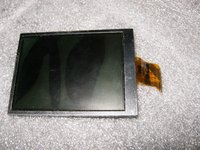
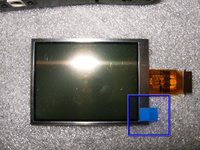
Here is the new screen, note the blue tab. This is the screen protector, remove it after installation.
-
Reassemble in reverse order. Hopefully your results will be the same as for me.
-






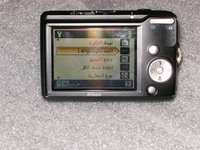
To reassemble your device, follow these instructions in reverse order.
Cancel: I did not complete this guide.
2 other people completed this guide.

