
Nikon Coolpix B700 Button Assembly Replacement

Carlos Salgado and 2 other contributors
Last updated on May 20, 2019
Views: 997
View statistics:
- Past 24 Hours:
- 2
- Past 7 Days:
- 11
- Past 30 Days:
- 71
- All Time:
- 997
Comments: 2
2 comments on steps.
Completed: 3 4
3 people have marked this guide "completed." Will you be next?
4 people have marked this guide "completed." Including you — great job!
Favorites: 0 1
No one has favorited (and subscribed to) this guide. Will you be the first?
1 person has favorited (and subscribed to) this guide — and that's you!
Introduction
Go to step 1 ↓This guide shows how to replace the assembly of the shutter button/mode selector dial/buttons. This assembly can be replaced if any of the buttons malfunction or are faulty. The back cove and bracket need to be removed before removing the button assembly.
What you need
Tools


-
-
-
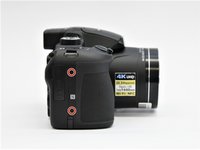
Use the Phillips screwdriver to remove the two 5.5 mm screws on the left side of the camera.
 Ask FixBot
-
-
-
Use the Phillips screwdriver to remove seven 5.5 mm screws from the bottom of the camera.
-
-
-
Use the Phillips screwdriver to remove the two 5.5mm screws on the right side of the camera.
-
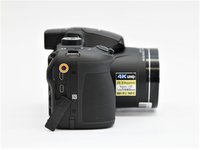
Open the HDMI flap to remove a 5.5mm screw.
-
-
-
Use the Phillips screwdriver to remove the two 5.5mm screws under the LCD panel.
-
-
-
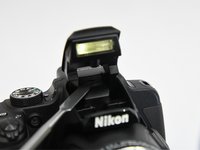
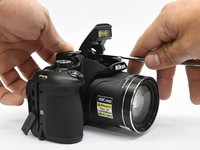
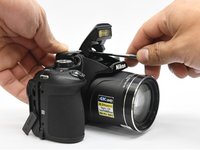
Open the flash assembly and insert the spudger into the slot under the flash unit and twist.
-
While twisting, pry apart the shell to split the camera in half.
-
-
-
-
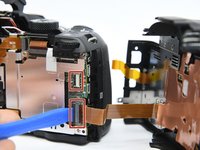
Place the pry tool under the black latch. Lift gently until the latch flips up.
-
Gently pull the ribbon away from the latch.
-
-
-
-
-
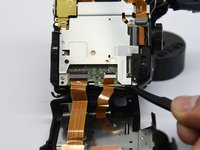
Lift the corner under the power button up.
-
While at the same time pushing the selector knob back.
-
-








To reassemble your device, follow these instructions in reverse order.
Cancel: I did not complete this guide.
3 other people completed this guide.

Team

Purdue University Northwest, Team S4-G5, Hingst Spring 2019 Member of Purdue University Northwest, Team S4-G5, Hingst Spring 2019
PNW-HINGST-S19S4G5
4 Members
84 Guides authored
