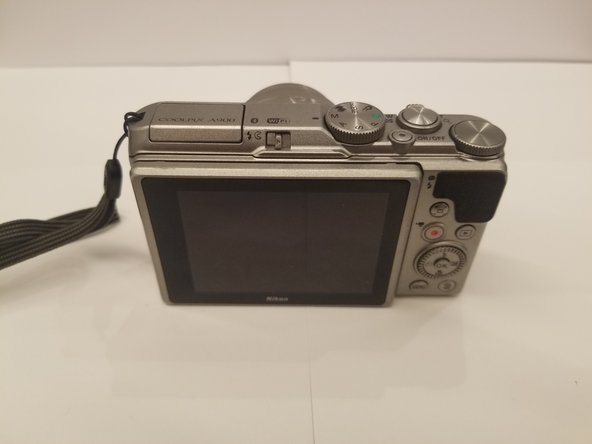
Free Shipping on Domestic Orders $75+

Nikon Coolpix A900 Monitor Replacement

What you need

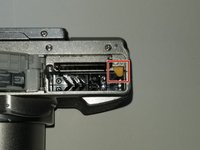
  1. Nikon Coolpix A900 Monitor Replacement, Battery: step 1, image 1 of 1
    • Orient the camera so that it is upside down, with the lens facing towards you.

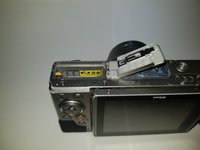
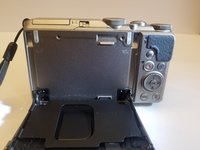
  2. Nikon Coolpix A900 Monitor Replacement: step 2, image 1 of 2 Nikon Coolpix A900 Monitor Replacement: step 2, image 2 of 2
    • Slide the battery door lock left to unlock it.

    • The battery door will automatically open.

  3. Nikon Coolpix A900 Monitor Replacement: step 3, image 1 of 2 Nikon Coolpix A900 Monitor Replacement: step 3, image 2 of 2
    • Slide the yellow tab up to release the battery.

    • To re-insert a battery, slide the battery back in until the yellow tab locks it in place.

    • There is a diagram on the opposite side of the battery compartment to help you orient the battery correctly.

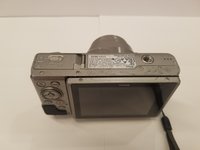
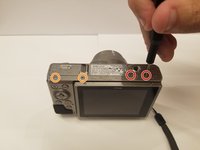
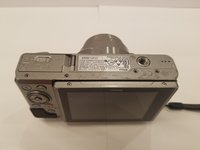
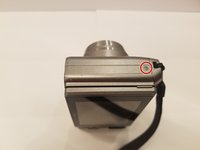
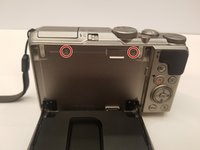
  4. Nikon Coolpix A900 Monitor Replacement, Rear Case: step 4, image 1 of 3 Nikon Coolpix A900 Monitor Replacement, Rear Case: step 4, image 2 of 3 Nikon Coolpix A900 Monitor Replacement, Rear Case: step 4, image 3 of 3
    • Orient the camera upside down, with the lens facing away from you.

    • Remove the two 3mm Phillips #00 screws from the right.

    • Remove the two 3.4mm Phillips #00 screws from the left.

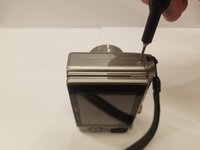
  5. Nikon Coolpix A900 Monitor Replacement: step 5, image 1 of 3 Nikon Coolpix A900 Monitor Replacement: step 5, image 2 of 3 Nikon Coolpix A900 Monitor Replacement: step 5, image 3 of 3
    • Turn the camera on its side, with the lens facing away from you.

    • Remove the 3.4mm Phillips #00 screw. Repeat this for the opposite side of the camera.

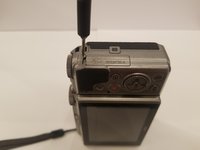
  6. Nikon Coolpix A900 Monitor Replacement: step 6, image 1 of 3 Nikon Coolpix A900 Monitor Replacement: step 6, image 2 of 3 Nikon Coolpix A900 Monitor Replacement: step 6, image 3 of 3
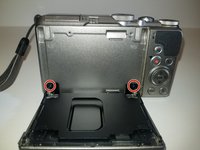
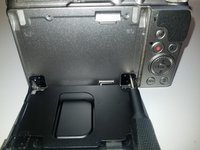
    • Place the camera upright with the lens facing away from you.

    • Move the monitor down, and remove two 4.4 mm screws.

  7. Nikon Coolpix A900 Monitor Replacement: step 7, image 1 of 2 Nikon Coolpix A900 Monitor Replacement: step 7, image 2 of 2
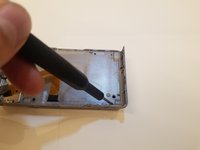
    • Remove the two black 2.5 mm screws from the monitor bracket.

  8. Nikon Coolpix A900 Monitor Replacement: step 8, image 1 of 2 Nikon Coolpix A900 Monitor Replacement: step 8, image 2 of 2
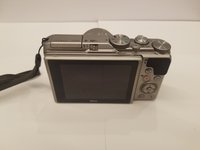
    • Return the monitor to the closed position.

    • Gently open the rear case.

    • You may need opening tools to help separate the rear case.

    • Be careful when opening the rear case to not damage the ribbon connectors.

  9. Nikon Coolpix A900 Monitor Replacement: step 9, image 1 of 3 Nikon Coolpix A900 Monitor Replacement: step 9, image 2 of 3 Nikon Coolpix A900 Monitor Replacement: step 9, image 3 of 3
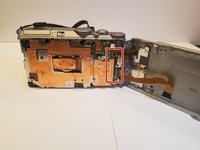
    • Place the camera lens down, while supporting the rear case.

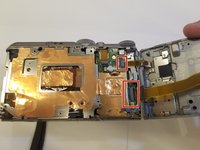
    • Unlock the two ribbons by using your finger to lift the plastic hinge on the ribbon connector.

    • With the ribbons disconnected, you can now remove the rear case.

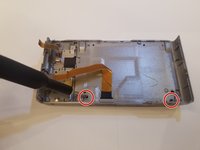
  10. Nikon Coolpix A900 Monitor Replacement, Monitor: step 10, image 1 of 3 Nikon Coolpix A900 Monitor Replacement, Monitor: step 10, image 2 of 3 Nikon Coolpix A900 Monitor Replacement, Monitor: step 10, image 3 of 3
    • Set the rear case screen down.

    • Remove the two 2.5 mm black Phillips #00 screws.

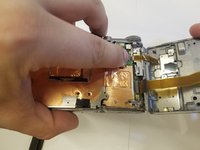
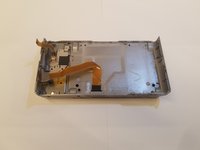
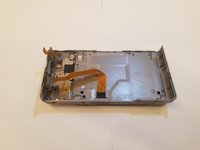
  11. Nikon Coolpix A900 Monitor Replacement: step 11, image 1 of 2 Nikon Coolpix A900 Monitor Replacement: step 11, image 2 of 2
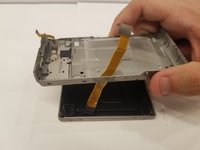
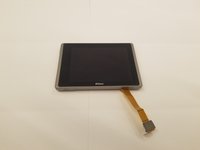
    • Separate the rear case from the monitor assembly.

    • Make sure that the ribbon cable does not snag on the rear case when removing it.

Conclusion

To reassemble your device, follow these instructions in reverse order.

One other person completed this guide.

4 Guide Comments

Where did you get a new monitor for your camera?

photower - Reply Share

Bonjour superbe étape par étape ou puis je trouver l’écran LCD du NIKON A900 je ne le trouve pas ! merci de votre retour !

et un grand merci à des personnes comme vous qui nous aide nous pauvre novice !!!

Laurent Farrugia - Reply Share
This is excellent but where would you get a new 3” monitor?

Panders McMulluon - Reply Share

Have you tried AliExpress or Ebay?

photower - Share

Add Comment

View Statistics:

Past 24 Hours: 0

Past 7 Days: 5

Past 30 Days: 42

All Time: 1,843