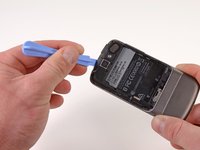
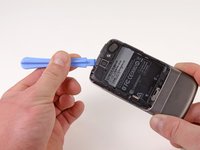
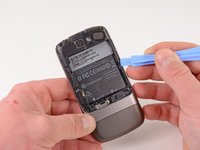
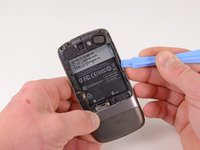
Free Shipping on Domestic Orders $75+

Nexus One Motherboards Replacement

What you need

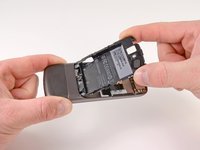
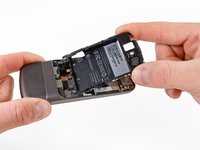
  1. Nexus One Motherboards Replacement, Rear Cover: step 1, image 1 of 2 Nexus One Motherboards Replacement, Rear Cover: step 1, image 2 of 2
    • Using two fingers, push up on the rear cover.

    Ask FixBot

    Add Comment

  2. Nexus One Motherboards Replacement: step 2, image 1 of 1
    • The rear cover slides up and off.

    Ask FixBot

    Add Comment

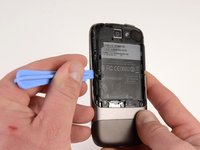
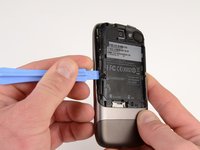
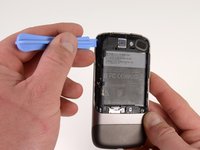
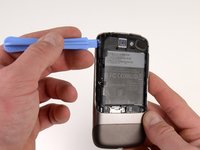
  3. Nexus One Motherboards Replacement, Battery: step 3, image 1 of 1
    • Using the plastic opening tools, pry the left bottom corner of the battery up.

    Ask FixBot

    Add Comment

  4. Nexus One Motherboards Replacement: step 4, image 1 of 1
    • Pull the battery up and out.

    Ask FixBot
    Add Comment

  5. Nexus One Motherboards Replacement, Battery Housing: step 5, image 1 of 1
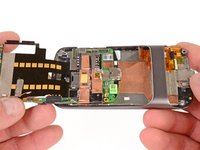
    • Remove the two Torx T5 screws.

    • Remove the one Philips #00 screw.

    Ask FixBot
    Add Comment

  6. Nexus One Motherboards Replacement: step 6, image 1 of 2 Nexus One Motherboards Replacement: step 6, image 2 of 2
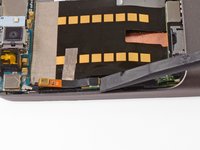
    • Using the plastic opening tool, pry up the battery housing upwards.

    • Push pry tool down, undoing the plastic tab.

    Ask FixBot

    Add Comment

  7. Nexus One Motherboards Replacement: step 7, image 1 of 2 Nexus One Motherboards Replacement: step 7, image 2 of 2
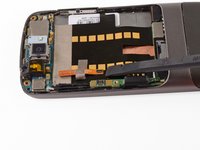
    • Pry the upper left tab open on the battery housing.

    Ask FixBot

    Add Comment

  8. Nexus One Motherboards Replacement: step 8, image 1 of 2 Nexus One Motherboards Replacement: step 8, image 2 of 2
    • Pry the top tab of the battery housing.

    Ask FixBot

    Add Comment

  9. Nexus One Motherboards Replacement: step 9, image 1 of 2 Nexus One Motherboards Replacement: step 9, image 2 of 2
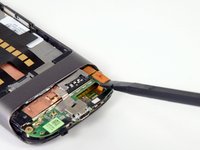
    • Pry the right side tab of the battery housing.

    Ask FixBot
    Add Comment

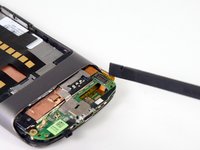
  10. Nexus One Motherboards Replacement: step 10, image 1 of 2 Nexus One Motherboards Replacement: step 10, image 2 of 2
    • Pull up on the battery housing.

    • Slide the battery housing out to remove it.

    Ask FixBot
    Add Comment

  11. Nexus One Motherboards Replacement, Lower Cover: step 11, image 1 of 2 Nexus One Motherboards Replacement, Lower Cover: step 11, image 2 of 2
    • Using the plastic opening tool, push the blade into the space between the case and lower cover.

    • Turn the opening tool slightly, the lower cover will detach on that side.

    • Repeat on other side of the seam.

    • The lower cover will slide off.

    Ask FixBot

    Add Comment

  12. Nexus One Motherboards Replacement, Antenna Housing: step 12, image 1 of 1
    • Remove the one T5 Torx screw

    • Remove the one #00 Philips screw

    • Lift up the end of the antenna housing and slide it outwards.

    Ask FixBot

    Add Comment

  13. Nexus One Motherboards Replacement, Secondary Microphone: step 13, image 1 of 2 Nexus One Motherboards Replacement, Secondary Microphone: step 13, image 2 of 2
    • Using the spudger, pry upwards on the second microphone connector.

    Ask FixBot

    Add Comment

  14. Nexus One Motherboards Replacement: step 14, image 1 of 1
    • Pull up on the ribbon cable, the tape will detach from the main board ribbon.

    Ask FixBot

    Add Comment

  15. Nexus One Motherboards Replacement, Motherboards: step 15, image 1 of 2 Nexus One Motherboards Replacement, Motherboards: step 15, image 2 of 2
    • Insert the spudger under the connector.

    • Push the spudger up and twist to release the connector.

    • Repeat for the next connector.

    Ask FixBot

    Add Comment

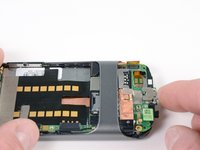
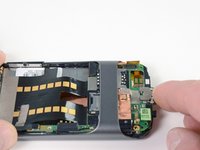
  16. Nexus One Motherboards Replacement: step 16, image 1 of 3 Nexus One Motherboards Replacement: step 16, image 2 of 3 Nexus One Motherboards Replacement: step 16, image 3 of 3
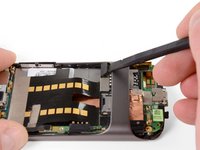
    • Push on the USB port to expose the black connector.

    • Use the spudger to pry the connector upwards.

    Ask FixBot

    Add Comment

  17. Nexus One Motherboards Replacement: step 17, image 1 of 2 Nexus One Motherboards Replacement: step 17, image 2 of 2
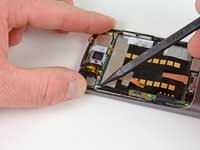
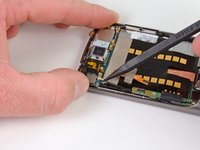
    • Place the spugder under the antenna connector.

    • Pry connector up vertically.

    Ask FixBot

    Add Comment

  18. Nexus One Motherboards Replacement: step 18, image 1 of 3 Nexus One Motherboards Replacement: step 18, image 2 of 3 Nexus One Motherboards Replacement: step 18, image 3 of 3
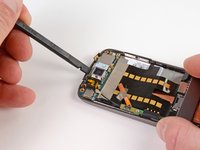
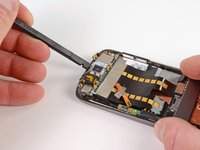
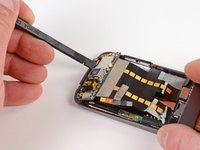
    • Insert the spudger into tab above the camera.

    • Slide upwards until the board detaches from the case.

    Ask FixBot

    Add Comment

  19. Nexus One Motherboards Replacement: step 19, image 1 of 1
    • Press the pointed tip of the spudger into the space below the button assembly.

    • Wiggle the spudger tip towards the outside of the button.

    • The button assembly is under some tension and may fly off.

    Ask FixBot

    Add Comment

  20. Nexus One Motherboards Replacement: step 20, image 1 of 1
    • Push the pointed tip of the spudger into the base of the side button board.

    • Lift up, the board will disconnect from the case.

    Ask FixBot

    Add Comment

  21. Nexus One Motherboards Replacement: step 21, image 1 of 3 Nexus One Motherboards Replacement: step 21, image 2 of 3 Nexus One Motherboards Replacement: step 21, image 3 of 3
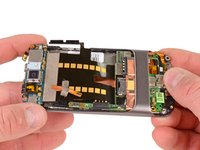
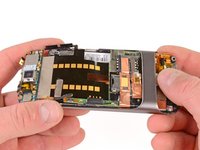
    • Push on the lower motherboard until it slides under the case support.

    • The motherboard assembly comes out as a single piece.

    • Save the small black rubber rectangular sound guide under the motherboard, to replace over the microphone.

    Ask FixBot

    Add Comment

Conclusion

To reassemble your device, follow these instructions in reverse order.

Cancel: I did not complete this guide.

One other person completed this guide.

Niklas Johnson

Member since: 01/31/12

1,207 Reputation

18 Guides authored

0 Guide Comments

Add Comment

View Statistics:

Past 24 Hours: 1

Past 7 Days: 7

Past 30 Days: 28

All Time: 4,456