Introduction
This guide will take you through the necessary steps to replace the antenna cables on your Nexus 5. Your antenna cables may need to be replaced if you frequently lose service.
What you need
-
-
-
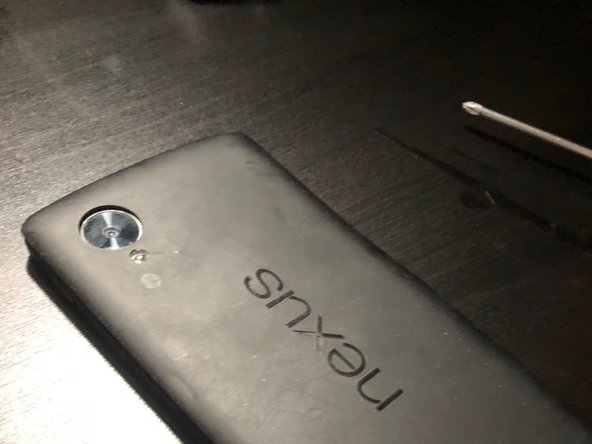
The battery door of the Nexus 5 is held together with plastic clips.
-
Use the plastic spudger to separate the battery door.
 Ask FixBot
-
-
-
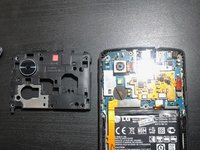
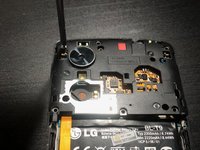
Using your #00 Philips Screwdriver, remove the six screws holding the midframe in place.
-
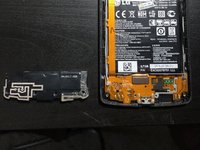
Remove the four screws at the bottom of the device holding the speaker assembly in place.
-
The screw on the far right may be covered in adhesive. Use your plastic spudger to remove the adhesive covering the screw.
-
-
-
-
Remove the midframe and speaker assembly.
-
-
-
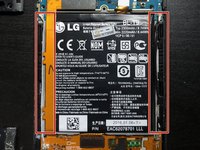
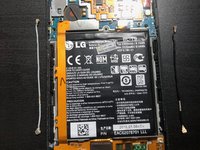
The antenna cables are located on the right and left side of the battery (one is gray, the other is black).
-
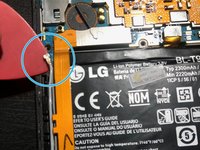
Using your plastic spudger, disconnect both ends of the antenna cables.
-
Connect your new antenna cables.
-
-
-
Screw the midframe and speaker assembly back into place.
-
Push the outer edges of the battery door down until you hear the plastic clips "click."
-
-
-
Hold the power button until you feel the phone vibrate and/or see the Google logo displayed.
-
-





Cancel: I did not complete this guide.
One other person completed this guide.

Team

IUPUI, Team S1-G1, Baechle Fall 2017 Member of IUPUI, Team S1-G1, Baechle Fall 2017
IUPUI-BAECHLE-F17S1G1
2 Members
36 Guides authored
1 Guide Comment
Ever struggled with poor cell service on your phone? I definitely have! I once had a phone that constantly dropped calls, and replacing the internal antenna cables made a huge difference. It was a bit fiddly, but worth it to finally have reliable reception. Anyone else have similar experiences? Anyway, back to the topic of mobile games, have you played Basket Random?
