Introduction
This guide will detail how to remove and install the phone's speakers, located at the bottom of the Nexus 4.
What you need
-
-
Tool used on this step:SIM Card Eject Tool$2.99
-
Power off the phone, by long-pressing the power button and touching Power off.
-
Remove the SIM tray using the SIM Card Eject Tool.
 Ask FixBot
-
-
Tool used on this step:T5 Torx Screwdriver$5.49
-
Remove the two screws from the bottom of the phone with a T5 Torx Screwdriver.
-
-
-
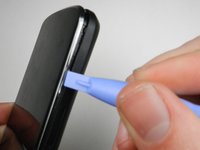
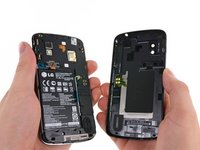
Gently open the back case by prying along the edge of the cover, starting at a corner of the phone and circling around the phone using a plastic opening tool.
-
-
-
-
-
-
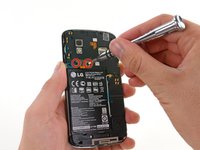
Remove the two 1.8 mm Phillips screws holding down the battery connector.
-
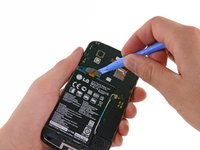
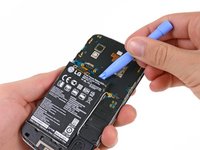
Using a plastic opening tool, disconnect the battery cable from its socket on the motherboard.
-
-
Tool used on this step:Plastic Cards$2.99
-
Remove the blue tape that secures the white antenna cable to the battery.
-
Using a spudger, carefully disconnect the white antenna cable.
-
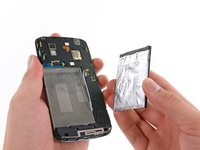
Carefully pry the battery out with a Plastic Opening Tool, starting at the top left-hand corner and working down towards the bottom right-hand corner.
-
-
-
-
-
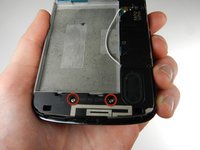
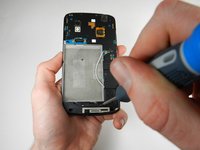
Remove the two 4.8 mm screws that hold the speaker enclosure together using the Phillips 00 screwdriver.
-
-
-
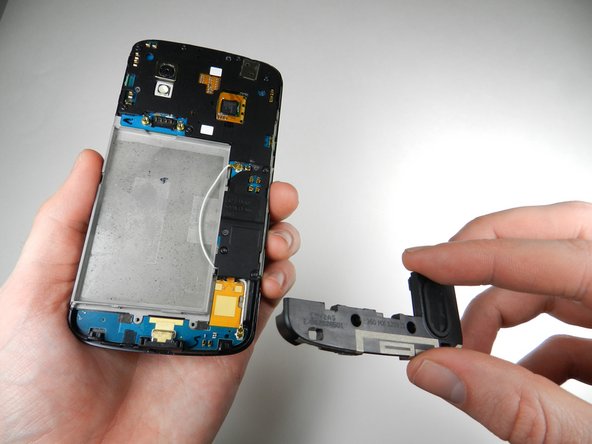
Gently pry the speaker up and away from the back of the phone using a plastic opening tool, and lift it out of the phone.
-
-










To reassemble your device, follow these instructions in reverse order.
Cancel: I did not complete this guide.
10 other people completed this guide.

Team

Cal Poly, Team 3-32, Amido Winter 2013 Member of Cal Poly, Team 3-32, Amido Winter 2013
CPSU-AMIDO-W13S3G32
4 Members
96 Guides authored
