Free Shipping on Domestic Orders $75+

Nextbook Premium 7SE Battery Replacement

What you need

  1. Nextbook Premium 7SE Battery Replacement, Back Cover: step 1, image 1 of 3 Nextbook Premium 7SE Battery Replacement, Back Cover: step 1, image 2 of 3 Nextbook Premium 7SE Battery Replacement, Back Cover: step 1, image 3 of 3
    • Insert the plastic opening tool into the middle of the bottom edge of the device. The tool should be inserted within the seam between the back and front covers.

    • Slide the opening tool to the right and slowly continue to separate the back cover from the device.

    • Avoid prying on the buttons, as they are easily damaged.

    Ask FixBot

    Add Comment

  2. Nextbook Premium 7SE Battery Replacement: step 2, image 1 of 1
    • Pull the cover off of the device once about three quarters of the cover has been pried open using the plastic opening tool.

    Ask FixBot

    Add Comment

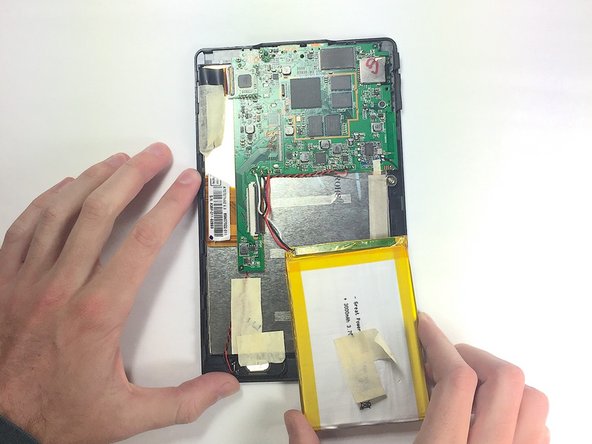
  3. Nextbook Premium 7SE Battery Replacement, Battery: step 3, image 1 of 1
    • Remove masking tape from the battery.

    Ask FixBot

    Add Comment

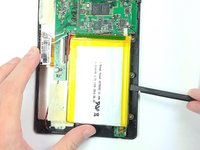
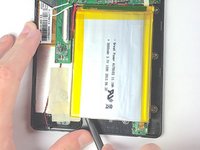
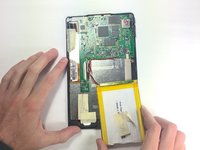
  4. Nextbook Premium 7SE Battery Replacement: step 4, image 1 of 3 Nextbook Premium 7SE Battery Replacement: step 4, image 2 of 3 Nextbook Premium 7SE Battery Replacement: step 4, image 3 of 3
    • Pry the battery from the base using the nylon spudger and move it away from the motherboard.

    • Handle the battery with care to avoid damaging it.

    Ask FixBot

    Add Comment

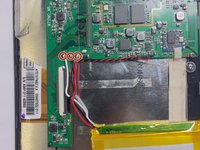
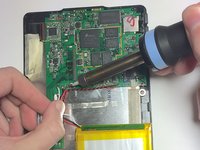
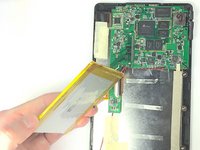
  5. Nextbook Premium 7SE Battery Replacement: step 5, image 1 of 3 Nextbook Premium 7SE Battery Replacement: step 5, image 2 of 3 Nextbook Premium 7SE Battery Replacement: step 5, image 3 of 3
    • De-solder the three contact points and remove the battery.

    • See the following guide for instructions on how to solder. How To Solder and Desolder Connections

    • Use caution when operating the soldering iron.

    Ask FixBot

    Add Comment

Conclusion

To reassemble your device, follow these instructions in reverse order, being careful when re-soldering the contacts back into place.

Cancel: I did not complete this guide.

One other person completed this guide.

Walker Karstens

Member since: 10/30/16

364 Reputation

3 Guides authored

Team

Baylor, Team 4-1, Williams Fall 2016 Member of Baylor, Team 4-1, Williams Fall 2016

BU-WILLIAMS-F16S4G1

4 Members

14 Guides authored

0 Guide Comments

Add Comment

View Statistics:

Past 24 Hours: 1

Past 7 Days: 1

Past 30 Days: 22

All Time: 1,006