
NeuTab N9 Battery Replacement

Jake E and 2 other contributors
Last updated on Jan 14, 2018
Views: 745
View statistics:
- Past 24 Hours:
- 2
- Past 7 Days:
- 13
- Past 30 Days:
- 92
- All Time:
- 745
Comments: 0
No one has left comments on this guide. Will you be first?
Go to guide commentsCompleted: 1 2
1 person has marked this guide "completed." Will you be next?
2 people have marked this guide "completed." Including you — great job!
Favorites: 0 1
No one has favorited (and subscribed to) this guide. Will you be the first?
1 person has favorited (and subscribed to) this guide — and that's you!
Introduction
Go to step 1 ↓This guide will tell you how to replace the battery in the Neutab N9. No prerequisite guides are required for this replacement.
What you need
Tools
-
Spudger4.9
-


-
-
-
Insert the plastic opening tool into the seam between the screen and the back of the tablet. Move the opening tool along the seam until the back of the tablet releases.
 Ask FixBot
-
-
-
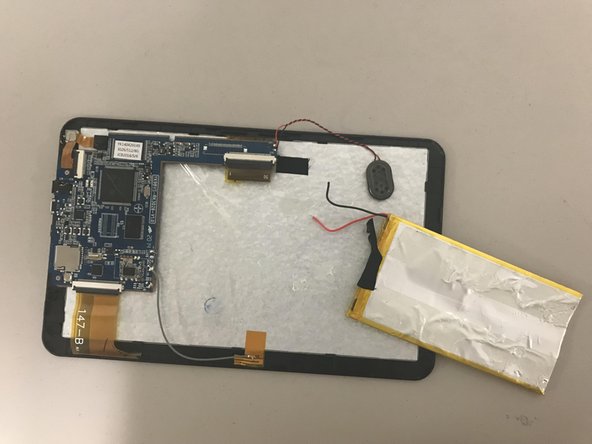
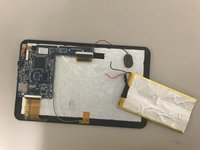
Insert plastic spudger underneath the edges of the battery to pry it up and detach the adhesive.
-
-
-
-
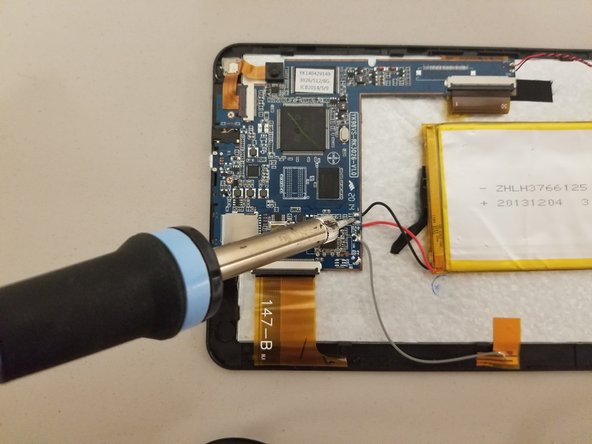
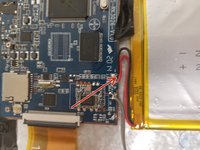
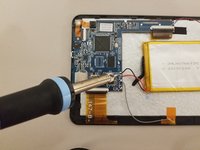
Completely remove the battery from the device by desoldering the red and black wires from the motherboard.
-
-


To reassemble your device, follow these instructions in reverse order.
Cancel: I did not complete this guide.
One other person completed this guide.

Team

University of North Texas, Team S7-G7, Thomas Fall 2017 Member of University of North Texas, Team S7-G7, Thomas Fall 2017
UNT-THOMAS-F17S7G7
4 Members
48 Guides authored
