Free Shipping on Domestic Orders $75+

Netgear WGR614v9 Motherboard Replacement

What you need

  1. Netgear WGR614v9 Motherboard Replacement, Lower Case: step 1, image 1 of 1
    • Rotate the device so that the bottom is facing up.

    Ask FixBot

    Add Comment

  2. Netgear WGR614v9 Motherboard Replacement: step 2, image 1 of 2 Netgear WGR614v9 Motherboard Replacement: step 2, image 2 of 2
    • Lift up all four rubber pads on the bottom of the router with the plastic opening tool.

    • Be careful not to pull the rubber pads all the way out when lifting as they are difficult to reinsert.

    Ask FixBot

    Add Comment

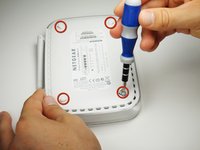
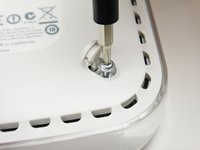
  3. Netgear WGR614v9 Motherboard Replacement: step 3, image 1 of 2 Netgear WGR614v9 Motherboard Replacement: step 3, image 2 of 2
    • Unscrew the four 11.8 mm T-8 torx screws from the bottom of the router.

    Ask FixBot

    Add Comment

  4. Netgear WGR614v9 Motherboard Replacement: step 4, image 1 of 1
    • Lift the bottom casing straight up from the router.

    Ask FixBot

    Add Comment

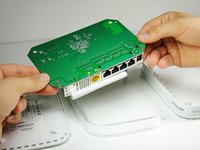
  5. Netgear WGR614v9 Motherboard Replacement, Motherboard: step 5, image 1 of 1
    • Remove the clear plastic casing by lifting it straight up from the router.

    Ask FixBot

    Add Comment

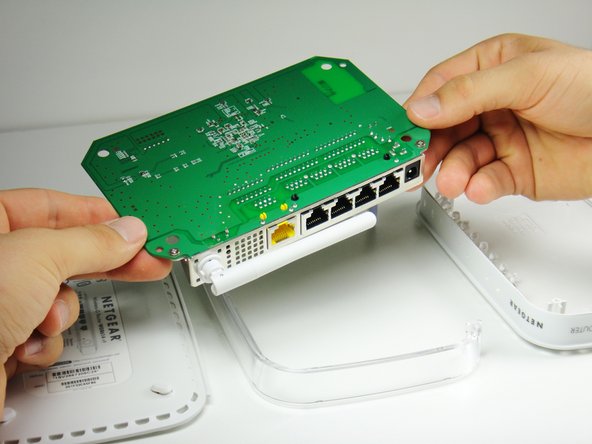
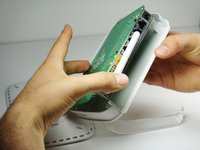
  6. Netgear WGR614v9 Motherboard Replacement: step 6, image 1 of 2 Netgear WGR614v9 Motherboard Replacement: step 6, image 2 of 2
    • Separate the motherboard from the top shell by lifting it straight up from the router.

    Ask FixBot

    Add Comment

Conclusion

To reassemble your device, follow these instructions in reverse order.

Cancel: I did not complete this guide.

Ryan Murphy

Member since: 10/03/11

488 Reputation

4 Guides authored

Team

Cal Poly, Team 21-24, Maness Fall 2011 Member of Cal Poly, Team 21-24, Maness Fall 2011

CPSU-MANESS-F11S21G24

4 Members

11 Guides authored

0 Guide Comments

Add Comment

View Statistics:

Past 24 Hours: 2

Past 7 Days: 3

Past 30 Days: 40

All Time: 2,615