Introduction
If your Nest x Yale lock is related to any of the issues on the unresponsive section of your troubleshooting page, you may need to replace the touchpad. Use this guide to replace the keypad properly.
The touchpad is located inside the keypad. This touchpad is responsible for being able to input your code to unlock the door lock.
Before beginning this process, be sure that the device is off and not plugged into the lock.
What you need
-
-
-
-
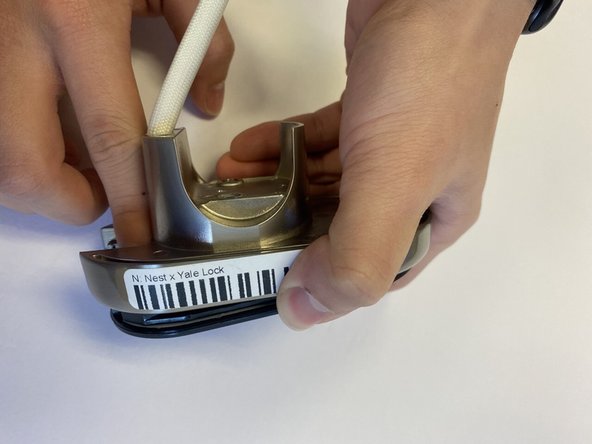
Once all screws are unscrewed proceed to tap the screen out of the metal casing.
-

 Ask FixBot


To reassemble your device, follow these instructions in reverse order.

Team

CSU Los Angeles, Team 5-3, Adachi Fall 2022 Member of CSU Los Angeles, Team 5-3, Adachi Fall 2022
CSULA-ADACHI-F22S5G3
5 Members
60 Guides authored
