Free Shipping on Domestic Orders $75+

Neato Botvac 80 Battery Replacement

What you need

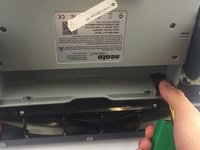
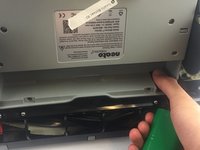
    1. Neato Botvac 80 Battery Replacement, Loosening screws: step 1, image 1 of 3 Neato Botvac 80 Battery Replacement, Loosening screws: step 1, image 2 of 3 Neato Botvac 80 Battery Replacement, Loosening screws: step 1, image 3 of 3
      • First, open the bin compartment and flip the switch to the off position.

      • Once you have done this, flip the robot over. Loosen the 2 screws, and lift the flap off

      • You will need to remove the 22.5mm bolts with a J1 Torx screwdriver.

      • Screws cannot be removed from the cover.

      Ask FixBot

      Add Comment

    2. Neato Botvac 80 Battery Replacement, Remove battery cover: step 2, image 1 of 2 Neato Botvac 80 Battery Replacement, Remove battery cover: step 2, image 2 of 2
      • Gently lift to remove battery cover.

      Ask FixBot

      Add Comment

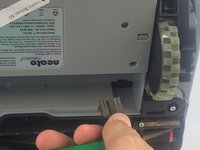
    3. Neato Botvac 80 Battery Replacement, Removing battery: step 3, image 1 of 3 Neato Botvac 80 Battery Replacement, Removing battery: step 3, image 2 of 3 Neato Botvac 80 Battery Replacement, Removing battery: step 3, image 3 of 3
      • Locate battery clip.

      • Press down on latch with thumb and slide clip back.

      • Remove the battery.

      Ask FixBot

      Add Comment

Conclusion

To reassemble your device, follow these instructions in reverse order.

Cancel: I did not complete this guide.

One other person completed this guide.

Alexander Silfa

Member since: 02/02/17

300 Reputation

1 Guide authored

Team

USF Tampa, Team 17-5, Blackwell Spring 2017 Member of USF Tampa, Team 17-5, Blackwell Spring 2017

USFT-BLACKWELL-S17S17G5

3 Members

72 Guides authored

0 Guide Comments

Add Comment

View Statistics:

Past 24 Hours: 1

Past 7 Days: 10

Past 30 Days: 27

All Time: 5,680