This translation was generated by a machine and has not been reviewed by a person yet. Speak this language? Review it.
Introduction
This guide shows you how to remove the bottom cover of a NH57ADS to access its main internal components.
What you need
-
-
-
Remove the five Phillips screws securing the bottom to the case.
-
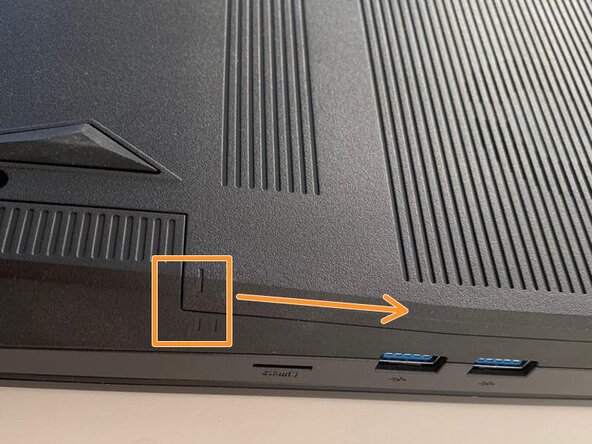
Slide the cover up slightly to release the clips holding it in place. This is the view on the right. The mark on the cover should now line up with the second mark on the case of the computer.
 Ask FixBot
-
-
-
-
This is the view on the left before and after sliding the cover. The mark on the cover should now line up with the second mark on the case of the computer.
-
Slide the bottom cover to remove it.
-
-





To reassemble your device, follow the instructions in reverse order.
Special thanks to these translators:
100%


These translators are helping us fix the world! Want to contribute?
Start translating ›

