Introduction
If pulling the trigger of your Nerf Nite Finder doesn't cause it to fire, the trigger might need to be replaced. This guide shows how to do so.
==CAUTION==
Be aware of springs under compression. Take care so these small parts do not fly off the blaster and get lost.
What you need
-
-
-
Place the blaster upside down on the table, and remove the screw in the bottom of the handle.
-
Remove the battery door and take the batteries out.
 Ask FixBot
-
-
-
Set the blaster on its side with the screws facing up (the blaster will be placed on its left side). Remove all 14 phillips head, 8.2 mm screws and set them aside.
-
Lift the side of the blaster off exposing its internal parts.
-
-
-


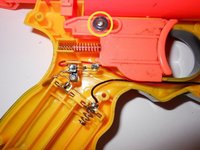
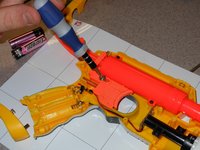

To reassemble your device, follow these instructions in reverse order.
Cancel: I did not complete this guide.
One other person completed this guide.

Team

Michigan Tech, Team 5-8, Lauer Spring 2014 Member of Michigan Tech, Team 5-8, Lauer Spring 2014
MTU-LAUER-S14S5G8
3 Members
108 Guides authored
