
Mpow MPBH063 Daughterboard Replacement

Jazely Barrera and 4 other contributors
Last updated on May 7, 2024
Views: 565
View statistics:
- Past 24 Hours:
- 3
- Past 7 Days:
- 21
- Past 30 Days:
- 59
- All Time:
- 565
Comments: 0
No one has left comments on this guide. Will you be first?
Go to guide commentsCompleted: 0 1
No one has marked this guide "completed." Will you be the first?
1 person has marked this guide "completed." It's you — great job!
Favorites: 0 1
No one has favorited (and subscribed to) this guide. Will you be the first?
1 person has favorited (and subscribed to) this guide — and that's you!
Introduction
Go to step 1 ↓If you have identified an issue with your speaker’s daughterboard and need to replace it, use this guide to locate the daughterboard. In order to locate, remove, and replace the daughterboard of your MPOW MPBH063 speaker, you will need a JIS #00 head screwdriver, iFixit tech knife, and a metal spudger.
What you need


-
-
-
Remove four Hex 10 mm screws from the outer speaker cover displaying the speaker's serial number indicated by the red circle.
-
Carefully insert the spudger tool into one of the holes in the cover to pry open the outer cover of the speaker.
 Ask FixBot
-
-
Tool used on this step:Tweezers$4.99
-
Remove four JIS J00 12mm screws.
-
Remove the inner speaker cover with the precision tweezers and a spudger if needed.
-
-
-
-
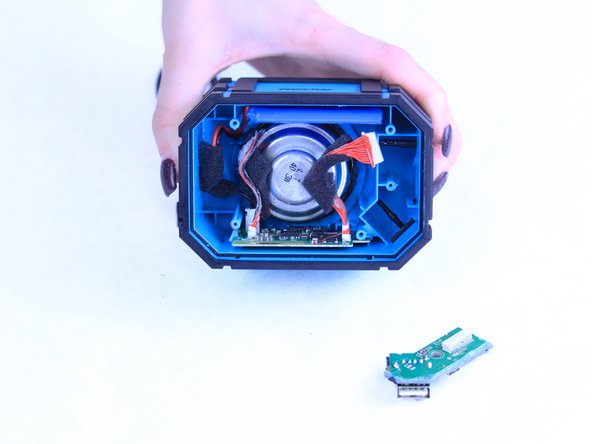
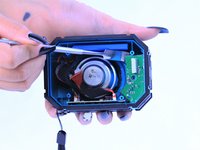
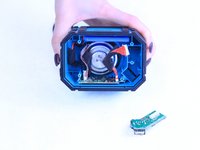
Remove the daughterboard by carefully lifting the daughterboard out of the speaker with the metal spudger.
-
Use iFixit adhesive remover as directed
-
-


To reassemble your device, follow these instructions in reverse order.

Team

Sam Houston State, Team S15-G5, Blackburne Fall 2018 Member of Sam Houston State, Team S15-G5, Blackburne Fall 2018
SHSU-BLACKBURNE-F18S15G5
3 Members
60 Guides authored
