
Motorola syn1654A Microphone Replacement

John Ware and 4 other contributors
Last updated on Mar 21, 2018
Views: 933
View statistics:
- Past 24 Hours:
- 2
- Past 7 Days:
- 15
- Past 30 Days:
- 88
- All Time:
- 933
Comments: 0
No one has left comments on this guide. Will you be first?
Go to guide commentsCompleted: 1 2
1 person has marked this guide "completed." Will you be next?
2 people have marked this guide "completed." Including you — great job!
Favorites: 0 1
No one has favorited (and subscribed to) this guide. Will you be the first?
1 person has favorited (and subscribed to) this guide — and that's you!
Needs Better Images
Better photos will improve this guide. Help out by taking, editing, or uploading new ones!
Introduction
Go to step 1 ↓Before proceeding with the replacement guide, make sure the headphones are unplugged from any device.
What you need
Parts
Tools


-
-
-
Remove star head screw from above base of the microphone with T6 Torx Screwdriver.
-
To prevent stripping, use an appropriate bit and ensure screwdriver is oriented perpendicular to the face of the screw.
 Ask FixBot
-
-
-
To expose the next screw, peel foam cover from the base toward the end of microphone.
-
Remove screw with screwdriver and place in a safe location.
-
-
-
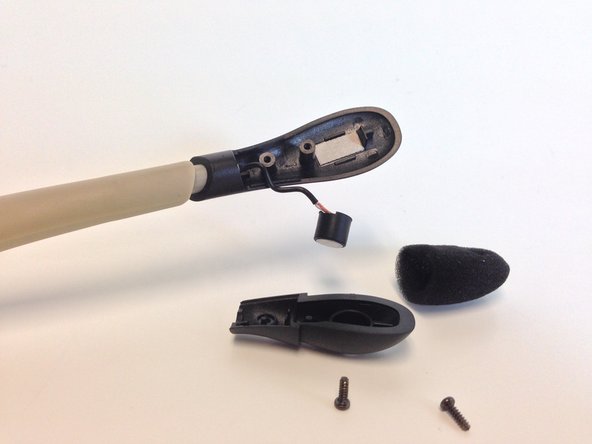
With Screws removed, remove the microphone from foam and plastic cover to be inspected.
-
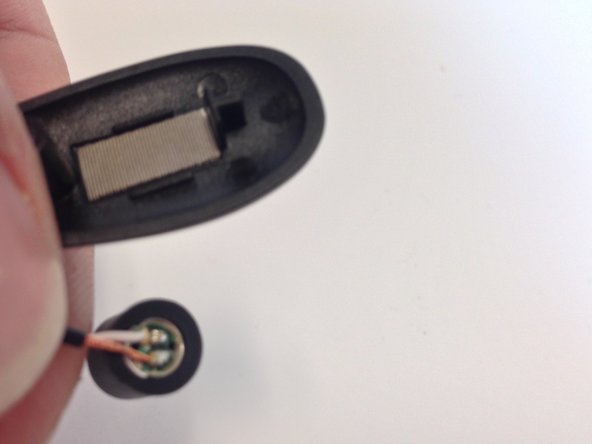
If the microphone is corroded or wires are frayed, it must be replaced.
-
-
-
-
Clip both wires to remove defective microphone.
-
Be sure to clip as close to the base of the microphone as possible in order to have enough wire for the new microphone.
-
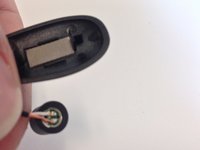
Align wires with corresponding pads on new microphone and solder in place.
-
For soldering, see the Ifixit soldering guide: How To Solder and Desolder Connections
-
-



To reassemble your device, follow these instructions in reverse order.
Cancel: I did not complete this guide.
One other person completed this guide.

Team

Michigan Tech, Team 5-1, Lauer Spring 2014 Member of Michigan Tech, Team 5-1, Lauer Spring 2014
MTU-LAUER-S14S5G1
2 Members
36 Guides authored
