Free Shipping on Domestic Orders $75+

Motorola i850 Speaker Replacement

What you need

  1. Motorola i850 Speaker Replacement, LCD Board: step 1, image 1 of 1
    • Open the flip cover of the phone with the LCD screen facing towards you.

    Ask FixBot

    Add Comment

  2. Motorola i850 Speaker Replacement: step 2, image 1 of 2 Motorola i850 Speaker Replacement: step 2, image 2 of 2
    • Use a Razor Blade to remove the screw covers.

    • Razor Blade is very sharp. Use caution.

    Ask FixBot

    Add Comment

  3. Motorola i850 Speaker Replacement: step 3, image 1 of 1
    • Unscrew the screws using a Phillips #00 Screwdriver.

    Ask FixBot

    Add Comment

  4. Motorola i850 Speaker Replacement: step 4, image 1 of 1
    • Insert a Spudger into the side crack of the flip cover and slowly separate the phone cover from the case.

    Ask FixBot

    Add Comment

  5. Motorola i850 Speaker Replacement: step 5, image 1 of 1
    • Gently separate the flip cover case from the phone with your hands when the crack is wide enough.

    Ask FixBot

    Add Comment

  6. Motorola i850 Speaker Replacement: step 6, image 1 of 1
    • Partially close the flip cover of the phone in order to take off the outer case.

    Ask FixBot

    Add Comment

  7. Motorola i850 Speaker Replacement: step 7, image 1 of 1
    • Completely remove the outer casing from the phone.

    Ask FixBot

    Add Comment

  8. Motorola i850 Speaker Replacement: step 8, image 1 of 2 Motorola i850 Speaker Replacement: step 8, image 2 of 2
    • Place your thumb underneath the protective metal covering to remove it from the phone.

    Ask FixBot

    Add Comment

  9. Motorola i850 Speaker Replacement: step 9, image 1 of 1
    • Gently detach the black microchip from the phone with a Tweezer.

    Ask FixBot

    Add Comment

  10. Motorola i850 Speaker Replacement: step 10, image 1 of 1
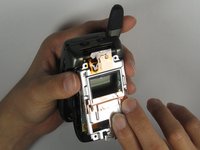
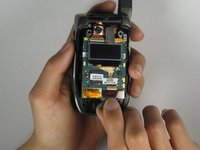
    • Prop out the LCD board from the phone using your fingertips.

    Ask FixBot

    Add Comment

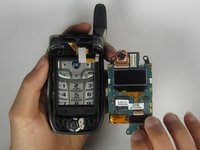
  11. Motorola i850 Speaker Replacement: step 11, image 1 of 2 Motorola i850 Speaker Replacement: step 11, image 2 of 2
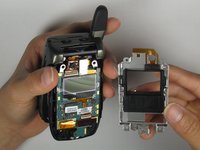
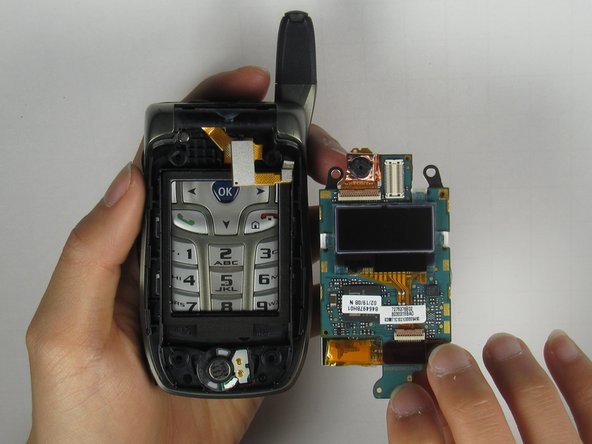
    • Remove the LCD board from the phone by grabbing the bottom side of the LCD board.

    Ask FixBot

    Add Comment

  12. Motorola i850 Speaker Replacement, Speaker: step 12, image 1 of 1
    • Use a flathead screwdriver to gently remove the speaker.

    Ask FixBot

    Add Comment

  13. Motorola i850 Speaker Replacement: step 13, image 1 of 1
    • Insert the new speaker into the phone and it should look like the image at left.

    Ask FixBot

    Add Comment

Conclusion

To reassemble your device, follow these instructions in reverse order.

Cancel: I did not complete this guide.

Kevin Dermody

Member since: 04/08/10

1 Reputation

1 Guide authored

Team

Cal Poly, Team 34-56, Forte Spring 2010 Member of Cal Poly, Team 34-56, Forte Spring 2010

CPSU-FORTE-S10S34G56

4 Members

17 Guides authored

0 Guide Comments

Add Comment

View Statistics:

Past 24 Hours: 3

Past 7 Days: 5

Past 30 Days: 25

All Time: 1,444