Free Shipping on Domestic Orders $75+

Motorola i850 LCD Screen Replacement

What you need

    1. Motorola i850 LCD Screen Replacement, LCD Board: step 1, image 1 of 1
      • Open the flip cover of the phone with the LCD screen facing towards you.

      Ask FixBot

      Add Comment

    2. Motorola i850 LCD Screen Replacement: step 2, image 1 of 2 Motorola i850 LCD Screen Replacement: step 2, image 2 of 2
      • Use a Razor Blade to remove the screw covers.

      • Razor Blade is very sharp. Use caution.

      Ask FixBot

      Add Comment

    3. Motorola i850 LCD Screen Replacement: step 3, image 1 of 1
      • Unscrew the screws using a Phillips #00 Screwdriver.

      Ask FixBot

      Add Comment

    4. Motorola i850 LCD Screen Replacement: step 4, image 1 of 1
      • Insert a Spudger into the side crack of the flip cover and slowly separate the phone cover from the case.

      Ask FixBot

      Add Comment

    5. Motorola i850 LCD Screen Replacement: step 5, image 1 of 1
      • Gently separate the flip cover case from the phone with your hands when the crack is wide enough.

      Ask FixBot

      Add Comment

    6. Motorola i850 LCD Screen Replacement: step 6, image 1 of 1
      • Partially close the flip cover of the phone in order to take off the outer case.

      Ask FixBot

      Add Comment

    7. Motorola i850 LCD Screen Replacement: step 7, image 1 of 1
      • Completely remove the outer casing from the phone.

      Ask FixBot

      Add Comment

    8. Motorola i850 LCD Screen Replacement: step 8, image 1 of 2 Motorola i850 LCD Screen Replacement: step 8, image 2 of 2
      • Place your thumb underneath the protective metal covering to remove it from the phone.

      Ask FixBot

      Add Comment

    9. Motorola i850 LCD Screen Replacement: step 9, image 1 of 1
      • Gently detach the black microchip from the phone with a Tweezer.

      Ask FixBot

      Add Comment

    10. Motorola i850 LCD Screen Replacement: step 10, image 1 of 1
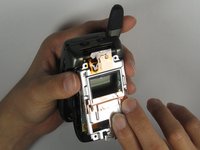
      • Prop out the LCD board from the phone using your fingertips.

      Ask FixBot

      Add Comment

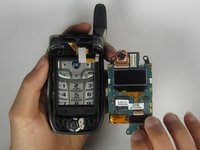
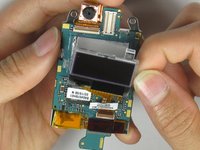
    11. Motorola i850 LCD Screen Replacement: step 11, image 1 of 2 Motorola i850 LCD Screen Replacement: step 11, image 2 of 2
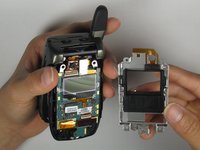
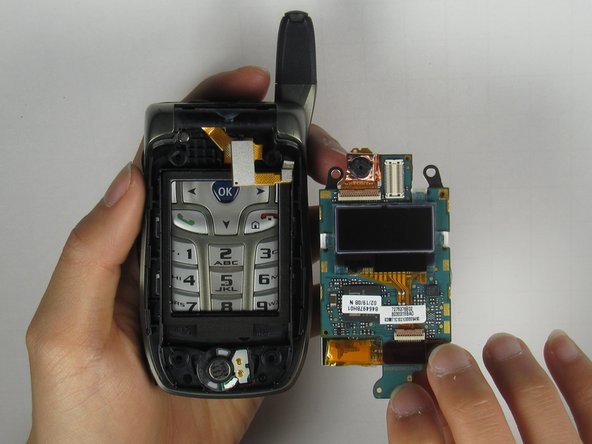
      • Remove the LCD board from the phone by grabbing the bottom side of the LCD board.

      Ask FixBot

      Add Comment

    1. Motorola i850 LCD Screen Replacement, LCD Screen: step 12, image 1 of 1
      • Firmly detach the gold strip using a Tweezer.

      Ask FixBot

      Add Comment

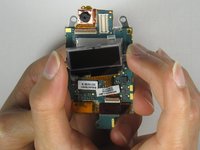
    2. Motorola i850 LCD Screen Replacement: step 13, image 1 of 1
      • Prop out the LCD screen using a Small Flathead Screwdriver.

      Ask FixBot

      Add Comment

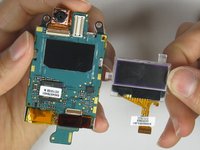
    3. Motorola i850 LCD Screen Replacement: step 14, image 1 of 3 Motorola i850 LCD Screen Replacement: step 14, image 2 of 3 Motorola i850 LCD Screen Replacement: step 14, image 3 of 3
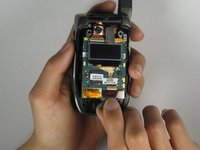
      • Remove the LCD screen from the LCD board.

      Ask FixBot

      Add Comment

Conclusion

To reassemble your device, follow these instructions in reverse order.

Cancel: I did not complete this guide.

Andrew Aw

Member since: 04/08/10

1 Reputation

2 Guides authored

Team

Cal Poly, Team 34-56, Forte Spring 2010 Member of Cal Poly, Team 34-56, Forte Spring 2010

CPSU-FORTE-S10S34G56

4 Members

84 Guides authored

0 Guide Comments

Add Comment

View Statistics:

Past 24 Hours: 3

Past 7 Days: 5

Past 30 Days: 29

All Time: 2,482