Free Shipping on Domestic Orders $75+

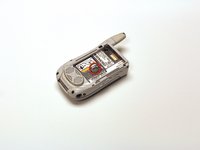
Motorola i450 Boost Mobile Keypad Replacement

What you need

  1. Motorola i450 Boost Mobile Keypad Replacement, Back Cover: step 1, image 1 of 3 Motorola i450 Boost Mobile Keypad Replacement, Back Cover: step 1, image 2 of 3 Motorola i450 Boost Mobile Keypad Replacement, Back Cover: step 1, image 3 of 3
    • Place the phone on a flat surface with the front facing down.

    • Insert your finger under the gray plastic cover at the bottom end of the phone.

    • Lift the cover off the phone.

    Ask FixBot

    Add Comment

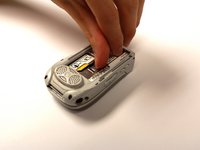
  2. Motorola i450 Boost Mobile Keypad Replacement, Battery: step 2, image 1 of 3 Motorola i450 Boost Mobile Keypad Replacement, Battery: step 2, image 2 of 3 Motorola i450 Boost Mobile Keypad Replacement, Battery: step 2, image 3 of 3
    • Place your thumb in the notch in the lower left corner of the battery compartment.

    • Lift the battery up and away from the phone.

    • Remove the battery.

    Ask FixBot

    Add Comment

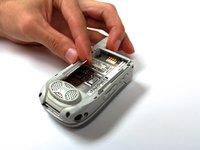
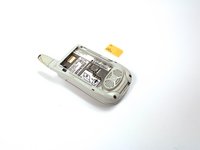
  3. Motorola i450 Boost Mobile Keypad Replacement, SIM Card: step 3, image 1 of 2 Motorola i450 Boost Mobile Keypad Replacement, SIM Card: step 3, image 2 of 2
    • Locate the metal slider that holds the SIM card in place.

    • Push the slider away from the metal flap which contains the SIM card. The flap will pop up.

    Ask FixBot

    Add Comment

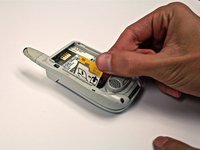
  4. Motorola i450 Boost Mobile Keypad Replacement: step 4, image 1 of 3 Motorola i450 Boost Mobile Keypad Replacement: step 4, image 2 of 3 Motorola i450 Boost Mobile Keypad Replacement: step 4, image 3 of 3
    • Lift the metal flap to gain access to the bottom of the SIM card.

    • Remove the SIM card by sliding it out parallel to the bottom of the flap.

    Ask FixBot

    Add Comment

  5. Motorola i450 Boost Mobile Keypad Replacement, Circuit Board: step 5, image 1 of 1
    • Extend the antenna.

    Ask FixBot

    Add Comment

  6. Motorola i450 Boost Mobile Keypad Replacement: step 6, image 1 of 1
    • Remove the four 4.8 mm Torx T6 screws from the corners of the back of the phone.

    • If the antenna is not fully extended, the top left screw will not be accessible.

    Ask FixBot

    Add Comment

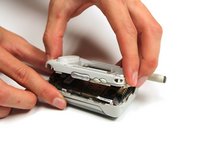
  7. Motorola i450 Boost Mobile Keypad Replacement: step 7, image 1 of 3 Motorola i450 Boost Mobile Keypad Replacement: step 7, image 2 of 3 Motorola i450 Boost Mobile Keypad Replacement: step 7, image 3 of 3
    • Gently lift off the back half of the phone and set to the side.

    • Permanent circuit connections prevent the cover from completely separating from the phone. Do not attempt to disconnect these circuits.

    Ask FixBot

    Add Comment

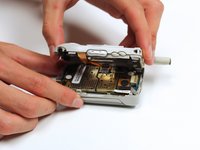
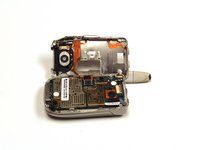
  8. Motorola i450 Boost Mobile Keypad Replacement, Keypad: step 8, image 1 of 3 Motorola i450 Boost Mobile Keypad Replacement, Keypad: step 8, image 2 of 3 Motorola i450 Boost Mobile Keypad Replacement, Keypad: step 8, image 3 of 3
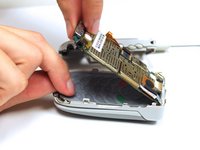
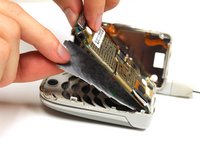
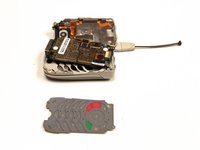
    • Gently lift the end of the circuit board farthest from the phone hinge.

    • The circuit board is permanently connected to the phone casing at the end nearest to the hinge.

    • Grasp the keypad at the bottom of the phone, raise it, and pull it away.

    Ask FixBot

    Add Comment

Conclusion

To reassemble your device, follow these instructions in reverse order.

Cancel: I did not complete this guide.

Garrison Stevens

Member since: 10/22/12

1 Reputation

6 Guides authored

Team

Clemson, Team 15-2, Benson Fall 2012 Member of Clemson, Team 15-2, Benson Fall 2012

CLEM-BENSON-F12S15G2

4 Members

25 Guides authored

0 Guide Comments

Add Comment

View Statistics:

Past 24 Hours: 0

Past 7 Days: 4

Past 30 Days: 23

All Time: 737