Free Shipping on Domestic Orders $75+

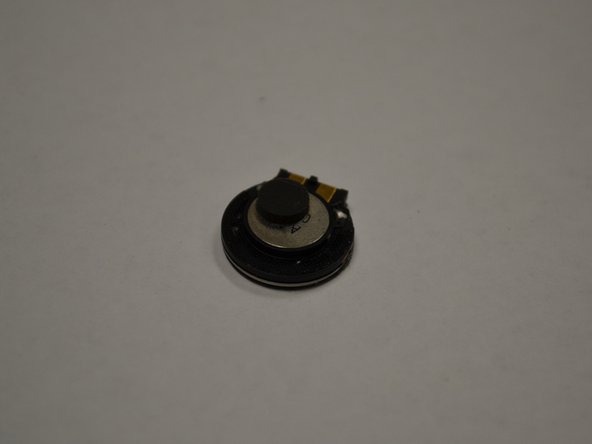
Motorola W315 Speaker Replacement

What you need

    1. Motorola W315 Speaker Replacement, Battery: step 1, image 1 of 1
      • Turn off the phone.

      • Turn the device over.

      • Remove the battery cover.

      Ask FixBot

      Add Comment

      • Insert thumb in the gap between the button and the battery and pry the battery upwards.

      • Pull the battery out of the phone.

      Ask FixBot

      Add Comment

    2. Motorola W315 Speaker Replacement: step 3, image 1 of 1
      • Insert the new battery.

      Ask FixBot

      Add Comment

    1. Motorola W315 Speaker Replacement, Rear Case: step 4, image 1 of 1
      • Four 5 mm screws are visible (circled in red).

      • Using the T6 tool, remove all four 5mm screws and set them aside.

      Ask FixBot

      Add Comment

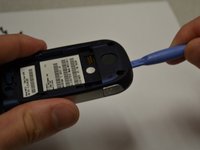
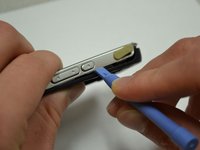
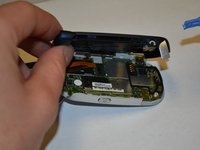
    2. Motorola W315 Speaker Replacement: step 5, image 1 of 3 Motorola W315 Speaker Replacement: step 5, image 2 of 3 Motorola W315 Speaker Replacement: step 5, image 3 of 3
      • Insert the plastic opening tool between the front and back panels of the lower half of the device.

      • Slide the tool around the entire frame of the device until it has loosened.

      • Remove the back of the device.

      Ask FixBot

      Add Comment

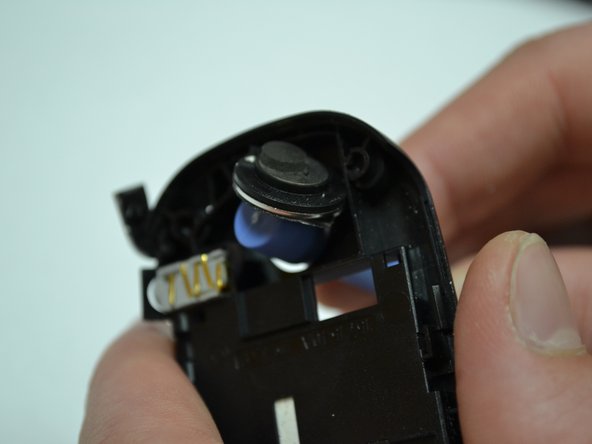
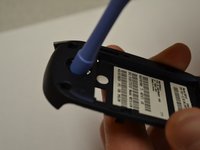
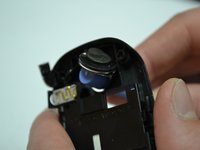
    1. Motorola W315 Speaker Replacement, Speaker: step 6, image 1 of 3 Motorola W315 Speaker Replacement, Speaker: step 6, image 2 of 3 Motorola W315 Speaker Replacement, Speaker: step 6, image 3 of 3
      • Using back of the plastic opening tool, push the speaker out of the casing.

      • Remove existing speaker.

      • Replace with new speaker

      Ask FixBot

      Add Comment

Conclusion

To reassemble your device, follow these instructions in reverse order.

Information on recycling/disposing of your electronic waste is located under Additional Information on the device page.

Cancel: I did not complete this guide.

Jacob Gray

Member since: 03/26/14

399 Reputation

4 Guides authored

Team

Clemson, Team 6-3, Benson Spring 2014 Member of Clemson, Team 6-3, Benson Spring 2014

CLEM-BENSON-S14S6G3

3 Members

81 Guides authored

0 Guide Comments

Add Comment

View Statistics:

Past 24 Hours: 1

Past 7 Days: 5

Past 30 Days: 33

All Time: 548