
Motorola W315 Keypad Replacement

Justin Scott and 4 other contributors
Last updated on Dec 27, 2017
Views: 725
View statistics:
- Past 24 Hours:
- 2
- Past 7 Days:
- 15
- Past 30 Days:
- 91
- All Time:
- 725
Comments: 0
No one has left comments on this guide. Will you be first?
Go to guide commentsCompleted: 0 1
No one has marked this guide "completed." Will you be the first?
1 person has marked this guide "completed." It's you — great job!
Favorites: 0 1
No one has favorited (and subscribed to) this guide. Will you be the first?
1 person has favorited (and subscribed to) this guide — and that's you!
Needs Better Images
Better photos will improve this guide. Help out by taking, editing, or uploading new ones!
Needs More Images
A few more images would make this guide's procedures crystal clear.
Better Introduction
Improve this guide by completing or revising its introduction.
What you need
Tools


-
-
-
Insert thumb in the gap between the button and the battery and pry the battery upwards.
-
Pull the battery out of the phone.
-
-
-
-
Four 5 mm screws are visible (circled in red).
-
Using the T6 tool, remove all four 5mm screws and set them aside.
-
-
-
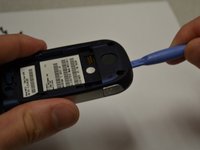
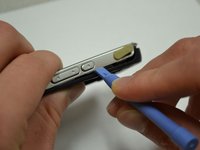
Insert the plastic opening tool between the front and back panels of the lower half of the device.
-
Slide the tool around the entire frame of the device until it has loosened.
-
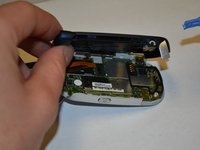
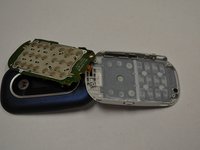
Remove the back of the device.
-
-
-
-
-
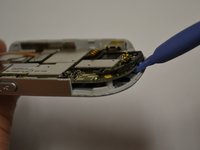
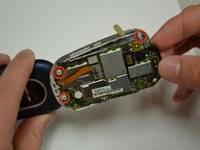
Using the plastic opening tool, gently lift the circuit board off of the four gray pegs that it rests upon.
-
-
-
-
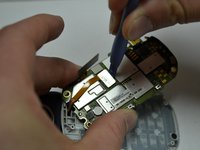
Use the plastic opening tool to remove the chip connected by magnetic strip to the screen.
-
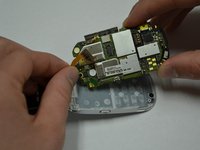
Remove circuit board.
-
-
-
-
-
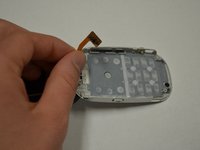
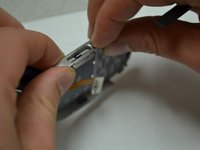
Apply pressure to the side buttons to remove them from the frame.
-
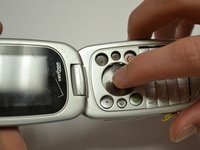
Turn the device over and push the keypad to loosen it from the frame.
-
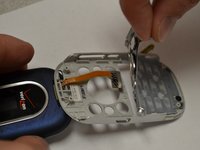
Turn the device over again and gently pull the keypad away from the frame.
-
Warning: Keypad may not respond due to unclean button contacts, make sure the button contacts remain clean throughout the disassembly and reassembly of the phone.
-
-

 Ask FixBot








To reassemble your device, follow these instructions in reverse order.
Information on recycling/disposing of your electronic waste is located under Additional Information on the device page.

Team

Clemson, Team 6-3, Benson Spring 2014 Member of Clemson, Team 6-3, Benson Spring 2014
CLEM-BENSON-S14S6G3
3 Members
108 Guides authored
