Free Shipping on Domestic Orders $75+

Motorola V710 Vibrating Motor Replacement

What you need

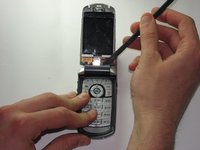
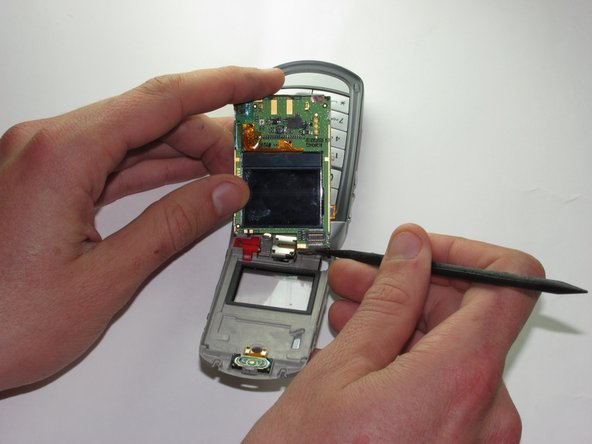
  1. Motorola V710 Vibrating Motor Replacement, Screen: step 1, image 1 of 3 Motorola V710 Vibrating Motor Replacement, Screen: step 1, image 2 of 3 Motorola V710 Vibrating Motor Replacement, Screen: step 1, image 3 of 3
    • Insert the spudger between the gray and black plates of the screen casing.

    • Using a twist and pry motion work your way around the phone slowly prying the two plates apart.

    • Note: this part of the phone is glued and will require re-gluing to return the phone to its original state.

    Ask FixBot

    Add Comment

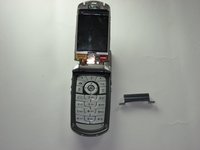
  2. Motorola V710 Vibrating Motor Replacement: step 2, image 1 of 2 Motorola V710 Vibrating Motor Replacement: step 2, image 2 of 2
    • If you look at the side of the now exposed screen there should be a metal casing held onto the phone by two tabs.

    • Insert the spudger underneath one of the corners of the metal and bend it out enough to slip it over the tabs.

    • This metal is reasonably resistant to bending and will likely require a good deal of force to get it off the phone.

    Ask FixBot

    Add Comment

  3. Motorola V710 Vibrating Motor Replacement: step 3, image 1 of 2 Motorola V710 Vibrating Motor Replacement: step 3, image 2 of 2
    • Orient the phone so that the main screen is facing upward.

    • Locate the hinge casing, a dark gray piece that covers the hinge.

    • Insert the spudger under one of the top corners of this piece and using a twist and pry motion remove from the phone.

    Ask FixBot

    Add Comment

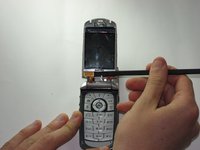
  4. Motorola V710 Vibrating Motor Replacement: step 4, image 1 of 2 Motorola V710 Vibrating Motor Replacement: step 4, image 2 of 2
    • Use the spudger to pry upward and remove the plug that connects the screen to the main body of the phone.

    Ask FixBot

    Add Comment

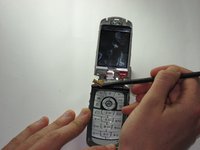
  5. Motorola V710 Vibrating Motor Replacement: step 5, image 1 of 2 Motorola V710 Vibrating Motor Replacement: step 5, image 2 of 2
    • Insert the spudger under the screen and pry the screen forward.

    • Remove the plug on the back of the screen that connects it to the camera.

    Ask FixBot

    Add Comment

  6. Motorola V710 Vibrating Motor Replacement: step 6, image 1 of 2 Motorola V710 Vibrating Motor Replacement: step 6, image 2 of 2
    • Use the spudger to remove the screen.

    Ask FixBot

    Add Comment

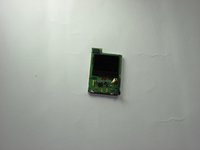
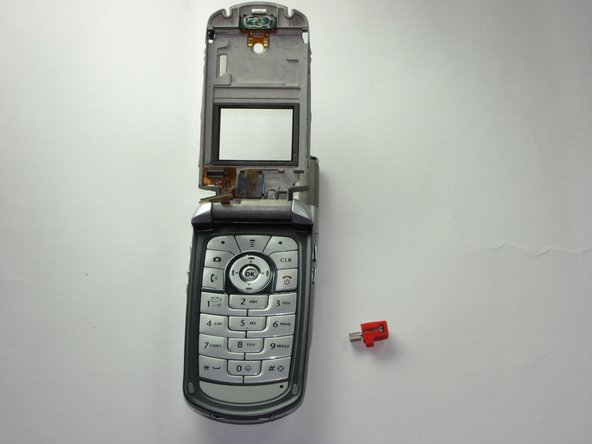
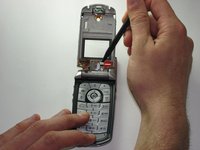
  7. Motorola V710 Vibrating Motor Replacement, Vibrating Motor: step 7, image 1 of 2 Motorola V710 Vibrating Motor Replacement, Vibrating Motor: step 7, image 2 of 2
    • Remove the vibrating motor from the phone with the spudger.

    Ask FixBot

    Add Comment

Conclusion

To reassemble your device, follow these instructions in reverse order.

Cancel: I did not complete this guide.

Karl Sanders

Member since: 01/26/10

8 Reputation

7 Guides authored

Team

Cal Poly, Team 8-49, Regan Winter 2010 Member of Cal Poly, Team 8-49, Regan Winter 2010

CPSU-REGAN-W10S8G49

5 Members

24 Guides authored

0 Guide Comments

Add Comment

View Statistics:

Past 24 Hours: 0

Past 7 Days: 4

Past 30 Days: 27

All Time: 4,986