
Motorola V276 Keypad Replacement

Jonathan Cheung and 5 other contributors
Last updated on Apr 16, 2014
Views: 1.3K
View statistics:
- Past 24 Hours:
- 0
- Past 7 Days:
- 6
- Past 30 Days:
- 27
- All Time:
- 1,273
Comments: 0
No one has left comments on this guide. Will you be first?
Go to guide commentsCompleted: 0 1
No one has marked this guide "completed." Will you be the first?
1 person has marked this guide "completed." It's you — great job!
Favorites: 0 1
No one has favorited (and subscribed to) this guide. Will you be the first?
1 person has favorited (and subscribed to) this guide — and that's you!
Introduction
Go to step 1 ↓General Maintenance on Motorola V276 keypad
What you need
Tools
-
Spudger4.9
-


-
-
-
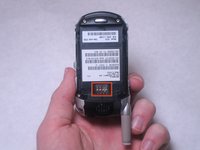
Locate the silver button on the back of the phone, near the bottom.
-
Depress the silver button with one hand and slide the back cover of the phone away from the antenna.
 Ask FixBot
-
-
-
Insert a plastic spudger near one corner of the battery (preferably one furthest from the phone's antenna).
-
Gently pry the battery up and away from the phone. The battery should easily raise out of its place.
-
Now that the battery is exposed, use your fingers to remove the it from the phone.
-
-
-
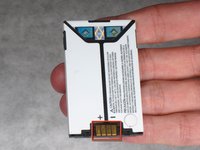
Note the metal connections on the phone, which are now exposed with the battery removed.
-
There are corresponding metal connectors on the replacement battery.
-
When you install the battery, be sure both connectors are matched up. Otherwise, your battery will be unable to supply power to your phone.
-
-
-
-
-
Use a spudger to remove the rubber plug from the upper left corner of the back of the phone.
-
-
-
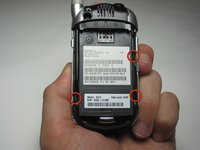
Use a Torx T6 screwdriver to remove the 4 screws that secure the back plate of the phone.
-
-
-
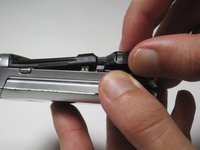
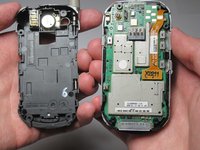
Three tabs will hold the back plastic plate in.
-
To remove the back plate, pull the tabs towards the outside of the phone and lift the plate up simultaneously
-
-
-
-
-
-
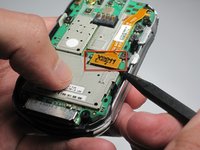
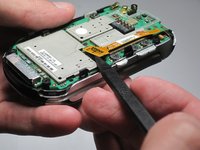
Peel back keypad starting from the top of the phone
-
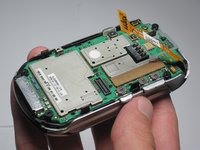
You can clean or replace the keypad once you have removed it from the phone
-
-








Team

Cal Poly, Team 27-96, Amido Spring 2010 Member of Cal Poly, Team 27-96, Amido Spring 2010
CPSU-AMIDO-S10S27G96
4 Members
132 Guides authored
